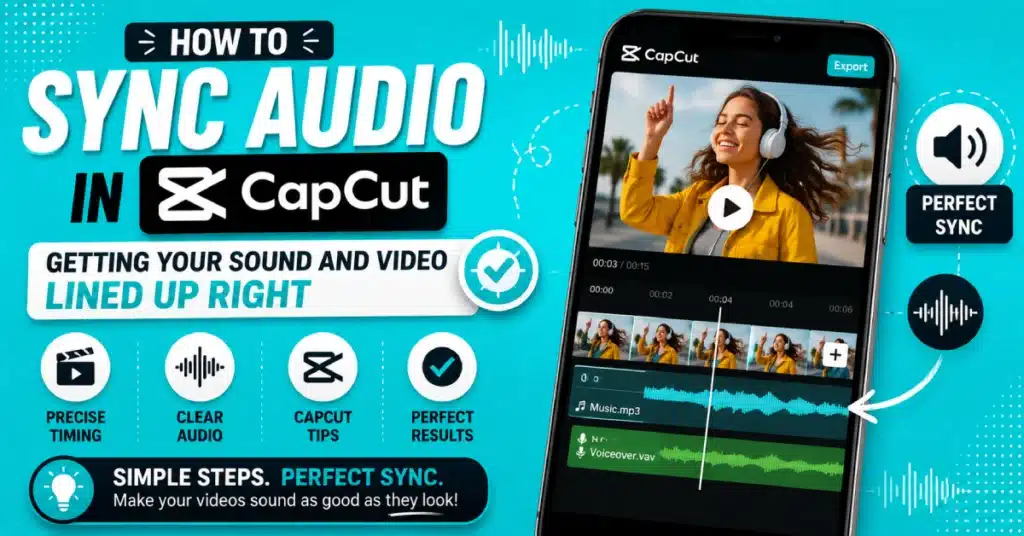
How To Sync Audio In CapCut: Getting Your Sound And Video Lined Up Right
How to sync audio in CapCut is one of those things that sounds simple until your voiceover’s suddenly half a second ahead of your lips moving, or your beat drop lands right after the cut instead of on it. Small gap, huge difference. A video that’s slightly off-sync just feels wrong, even if the viewer can’t quite say why.
Here’s the decent news, though. Once you know how to sync audio in CapCut properly, it’s genuinely quick — a couple minutes, tops, for most projects. CapCut Pro APK got auto-sync tools built right in, plus manual options for when the automatic version doesn’t quite nail it. I’ve had auto-sync fail on me once with a windy outdoor clip, ended up matching it by ear instead, and worked fine in the end.
Roughly what we’re covering:
- Why sync issues happen in the first place
- A table comparing sync methods in CapCut
- Steps for mobile, iPhone, Android, PC, and desktop separately
- FAQs people keep asking about audio sync problems
Why Does Audio Go Out Of Sync In The First Place?
A few usual reasons. Sometimes you record video and audio separately — a phone camera plus an external mic, say — and the two clips just start at slightly different points. Other times it’s a rendering hiccup during export, where CapCut Pro couldn’t sync video to sound properly and the drift only shows up after you’ve already exported and watched the final file back.
Occasionally it’s simpler still. A dropped frame here, a laggy preview there, and suddenly what looked fine while editing plays back a beat behind once it’s exported. Doesn’t always mean something’s broken, honestly. Sometimes it’s just how video processing works under pressure.
Quick Table: Audio Sync Methods In CapCut
| Method | Best For | Effort Level |
| Auto Sync | Clear audio, single source | Low |
| Manual Waveform Matching | Multiple audio sources | Medium |
| Beat Sync | Music-driven edits | Medium |
| Clip Speed Adjustment | Minor timing drift | Low |
Gives a rough sense of which route to try first, depending on what’s actually causing your specific sync issue.
How To Sync Audio And Video In CapCut?
I have used CapCut on my phone and computer and the setup process is the same. I import my video and audio track into the timeline then I choose both clips. CapCuts auto-sync feature is great because it checks the waveforms and syncs them automatically. This is really fast, usually taking a few seconds for my shorter clips.
If the auto sync result is not perfect I slide one clip to the left or to the right on the timeline until the auto sync waveforms line up correctly. A zoomed in timeline makes these fine adjustments to the auto sync much easier for me.
How To Auto Sync Audio And Video In CapCut?
If you choose to use the option in CapCut syncing audio and video is very easy. You highlight your video clip and your audio clip. Then you tap the Sync icon. Then you let CapCut process the clips. It will then match the audio and sync the clips. You do not have to move the timeline or do anything
- Import both clips
- Select them together
- Tap the auto-sync option
- Check the result and fine-tune if needed
Works great most of the time. Struggles a bit with really noisy audio or clips with barely any distinct sound to match against.
CapCut Auto Sync To Music
A slightly different use case here. Capcut auto sync to music aligns your video cuts to the beat of a chosen song rather than matching two separate audio sources together. Under the audio panel, there’s usually a “sync to beat” toggle that marks beat points along your music track, letting you snap your cuts right onto them for that satisfying rhythm-matched feel.
How To Sync Audio In CapCut Mobile?
For phone users syncing audio in CapCut mobile uses the steps with a touch-based interface.. Hold a clip to move it along the timeline. Pinch to zoom in for adjustments. When both clips are selected, use the auto sync button.
How To Sync Audio With Video In CapCut Mobile?
Similarly, how to sync audio with video in capcut mobile really just means running through the same auto-sync or manual matching process, mobile-side. People who switch from editing on a desktop may need time to get used to touch controls.. In most cases they become comfortable with touch controls after they complete one or two projects with them.
How To Sync Audio In CapCut Android?
For how to sync audio in capcut android specifically, the process matches the general mobile flow closely, since Android’s version doesn’t differ much from iOS here. One thing worth checking, though — Android devices vary a lot in processing power, and older or budget phones sometimes lag slightly during the sync analysis step.
How To Sync Audio In CapCut Mobile iPhone?
For iPhone users, how to sync audio in capcut mobile iphone works identically to Android in terms of steps, though iOS devices generally handle the waveform analysis a touch faster thanks to more consistent hardware across models. Get the official CapCut app if you haven’t already, and the sync tools sit in the same spot regardless of which iPhone model you’re using.
How To Sync Audio And Video In CapCut Mobile On iPhone?
Specifically for how to sync audio and video in CapCut mobile on iphone, worth double-checking your recording settings beforehand if you’re shooting with a separate mic setup. Recording at a consistent frame rate on both devices reduces drift before you even get to the syncing stage in CapCut itself.
How To Sync Audio In CapCut Desktop?
On desktop, how to sync audio in capcut desktop benefits from a wider timeline and more precise mouse control compared to touch. Select both clips, right-click or use the toolbar’s sync option, and CapCut handles the rest. Zooming into the timeline here is noticeably easier than on mobile, which helps a lot for tight, frame-accurate adjustments.
How To Sync Audio With Video In CapCut PC?
For how to sync audio with video in CapCut pc setups specifically, keeping CapCut for PC updated matters more than people realize, since sync algorithm improvements often roll out through updates rather than staying static across versions.
How To Beat Sync In CapCut PC?
Desktop users chasing music-driven edits should check how to beat sync in capcut pc through the same audio panel mentioned earlier — select your music track, toggle beat detection, and CapCut marks the beat points visually along the timeline for you to snap your cuts against.
How To Sync Clips To Audio In CapCut?
More broadly, how to sync clips to audio in capcut covers any situation where you’re matching multiple video clips to one continuous audio track, common in montage-style edits. Drag each clip so its key moment lines up with a specific beat or sound cue, using the waveform display as your visual guide throughout.
When CapCut Couldn’t Sync Video To Sound?
Sometimes auto-sync just fails outright. When capcut couldn’t sync video to sound comes up as an actual error, it’s usually because the audio quality was too poor, too quiet, or too similar throughout the clip for CapCut to find a clear matching point. Manual syncing by ear, using visible waveform peaks as reference points, works as a reliable fallback here.
CapCut Sync Between Devices
Worth mentioning too — CapCut sync between devices refers to cloud project syncing rather than audio syncing specifically. If you’re switching from editing on your phone to finishing on a laptop, saving your project to CapCut’s cloud keeps everything, including any sync work you’ve already done, carried over between devices without starting from scratch.
Getting Started With CapCut
Haven’t installed CapCut yet? The CapCut Play Store listing covers Android setup in a couple minutes, and the CapCut Premium tools are worth exploring once you’re comfortable with the basics, even if you mostly stick to free features day to day.
For a start on my mobile phone I can install the CapCut APK first. Then I will use CapCut for Android or CapCut for iOS to match my device and start editing videos.
Wrapping Up
So that’s how to sync audio in CapCut, covered from pretty much every angle — mobile, PC, iPhone, Android, auto or by hand. Most sync issues clear up with the built-in auto-sync tool alone, so try that first before assuming you need to fix anything manually.
Ready to get your sound and video lined up properly? Download CapCut Latest Version and get that next project sounding right from the very first cut.
Frequently Asked Questions
Why does my audio drift out of sync only after exporting?
A mismatch in frame rates during export is a common cause of this issue. When the video and audio tracks are rendered differently, syncing can drift. Matching the export settings with the original footage often solves the problem.
Can I sync audio manually if auto-sync fails?
You can sync the audio clip by hand. Use the timeline zoom to get a look follow the waveform and move the audio clip until the peaks line up with the sound in your video. This takes time but it always gives good results.
Does beat syncing work with any song?
Mostly, yes, though songs with a very steady, clear beat sync more accurately than tracks with unusual rhythms or heavy overlapping sounds. CapCut’s beat detection performs best on standard music with a consistent, easy-to-follow tempo throughout.
Is auto-sync available on both mobile and desktop?
Yes, auto-sync works on both platforms, using the same underlying waveform-matching technology either way. Desktop just offers a bit more precision thanks to a larger timeline and mouse-based controls compared to touch input on phones.
Why does CapCut say it couldn’t sync video to sound?
This error usually means the audio was too quiet, too noisy, or lacked distinct enough sound patterns for CapCut to find a matching point. Manual syncing using visible waveform peaks works as a solid backup in these cases.
Does syncing audio affect video quality?
No syncing your video and audio only changes the timing between them. Your video will still look the same, it will not get blurry. Have a lower quality. You can sync your video and audio then sync them again and make as many adjustments as you need to and your final video will still look great.
A clip is giving you problems? Try the steps. Syncing audio in CapCut gets easier.