CapCut Text to Video Guide 2026 for Beginners
A basic video idea can take effort than I expected to turn into a finished project. The script may be ready. Finding suitable clips adding text choosing music and arranging scenes can become a lengthy process.
CapCut Text to Video is designed to make that part easier. You enter written content, and the tool can help turn your idea into a video project. It is useful for people who want to create short videos without starting every edit from an empty timeline.
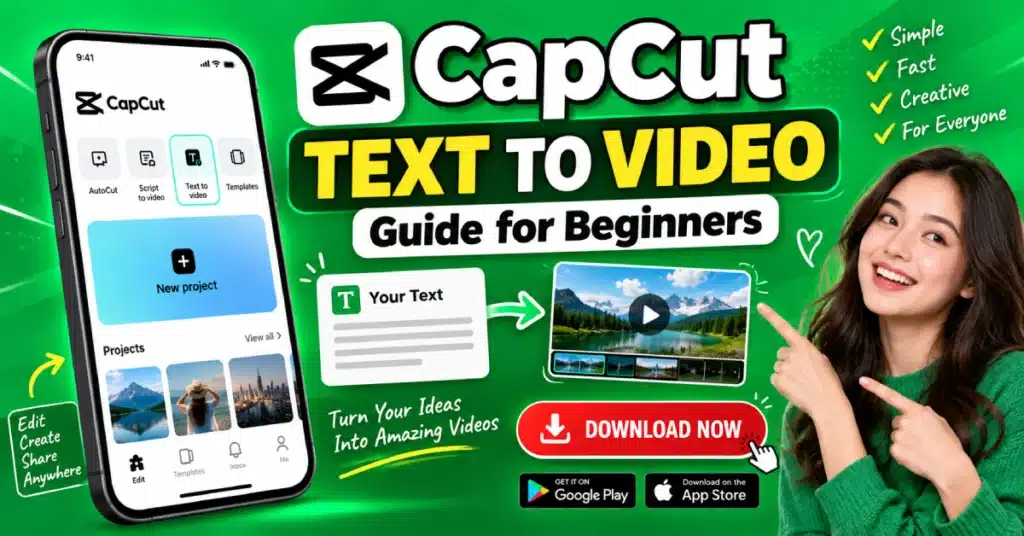
What Is CapCut Text to Video?
CapCut Text to Video is an AI based feature that uses written instructions to help create video content. There is no need to gather every clip manually. Give CapCut the subject, story or script and CapCut will create a basic starting point for your video project. I find this method very straightforward.
The exact options can vary by app version and device. Some projects may also give you different styles, visuals, voice options, or editing controls.
Think of it as a starting assistant rather than a complete replacement for editing.
How to Use CapCut Text to Video?
The basic workflow is quite easy for beginners.
1. Open CapCut
Open CapCut. Look through the main menu for the Text to Video or an AI video creation option. The location of the Text to Video or an AI video creation option may change with updates so check the creation and AI tools sections if you cannot find it.
2. Enter Your Idea
Write what you want the video to be about. Keep the instructions clear.
For example:
“Create a short video about five easy study tips for college students.”
A more detailed prompt can give the editor more useful information. You can mention the topic, video length, mood, audience, and format when those options are available.
3. Generate the Video
After entering your text, start the generation process. CapCut may create scenes, text, narration, or other parts of the project based on the information you provide.
Do not publish the first result without checking it. AI generated content can still contain awkward cuts, unsuitable visuals, or text that does not match your original idea.
Make the AI Video Better
This is where the CapCut video editor becomes useful. Once the first version is ready, go through the timeline yourself.
Check these areas:
- Remove scenes that do not add anything.
- Change clips that do not match the narration.
- Correct spelling and captions.
- Adjust the timing of text.
- Add your own images or video clips when needed.
- Keep the opening short and clear.
A few manual changes can make an AI generated video feel much more personal.
Choose the Right Video Format
Think about where you plan to upload the video. TikTok, Instagram Reels and YouTube Shorts usually work well with a 9:16 format. The vertical 9:16 format is a choice for these platforms. For YouTube videos the wider format may be more suitable. The wider format may fit YouTube videos better.
The important thing is to decide the platform before doing too much editing. Changing the layout later can require extra adjustments.
Can You Add Voice and Music?
Depending on the available tools, CapCut may provide AI voice, text to speech, background music, and other audio features. Choose audio that fits the subject. A serious educational video needs a different sound from a funny social media clip.
Also listen to the complete video once before exporting. Sometimes music is too loud and makes the narration difficult to understand.
CapCut Text to Video Quick Review
| Feature | Beginner Use |
| Written prompt | Gives the AI your video idea |
| AI generation | Creates a starting video |
| Text and captions | Helps explain the content |
| Voice tools | Can add narration |
| Templates and effects | Adds visual style |
| Manual editing | Fixes unwanted results |
| Export settings | Prepares the video for sharing |
Is CapCut Pro Needed?
Some CapCut features are free to use. Others like advanced tools, effects and AI options may need a paid plan. What you can access might change depending on app updates. Where you live.
CapCut Pro users may have access to editing tools and resources. So the final video quality depends greatly on the idea, script, visuals and edits made after the video is generated.
What About CapCut Pro APK?
Some websites provide CapCut APK download files while claiming that premium tools are unlocked. These unofficial versions may involve security and privacy risks, and the files may not come from CapCut.
For video editing use the official CapCut app and keep it updated through a trusted app store or official source.
Tips for Better Results
Before generating your video, spend a little time improving the text you give CapCut.
Try to:
- Use one clear topic.
- Avoid very long instructions.
- Mention your target audience.
- Describe the style you want.
- Break large ideas into smaller scenes.
- Review every generated scene.
A clear prompt usually gives the editor a better starting point than a few random words.
Conclusion
CapCut Text to Video gives creators a way to turn an idea or written script into video content. CapCut Text to Video may be useful for beginners while learning how timelines, scenes, captions and audio are used during editing.
The generated project is a first draft so review it before using the final video. Make your changes and add original content whenever possible. With practice CapCut helps you turn written ideas into finished videos more efficiently.
Frequently Asked Questions
Is CapCut Text to Video easy for beginners?
Yes. the process usually involves adding an idea. The process then involves generating a project. The process continues with some edits. The process ends by exporting the completed video.
Can CapCut turn a script into a video?
Yes, written instructions and scripts can be used with available AI tools to help create scenes and other sections of a video project.
Can I edit the generated video?
Yes. You can normally adjust scenes, text, audio, timing, effects, and other available elements after the initial generation.
Is CapCut Text to Video free?
CapCut AI tools can be free for use. Advanced CapCut AI tools may need a premium plan. The CapCut AI tools you can access depend on the app version.
Can I use the video for YouTube Shorts?
Yes. Create or adjust the project to a vertical 9:16 format, then review the captions, visuals, audio, and timing before uploading.
Does CapCut Text to Video replace a video editor?
No, it can quickly handle the starting stage but manual editing remains useful, for correcting details manual editing keeps pacing manual editing makes visuals clearer and manual editing improves video quality.