CapCut AI Clipper Guide 2026 for Turning Long Videos Into Shorts
CapCut AI Clipper is made to handle a job that can take hours: finding short clips in a long video. If you have a podcast, lecture, interview, gaming session or YouTube video an AI clipping tool can help you find moments worth turning into Shorts. You still need to look at the results. It cuts down the search time.
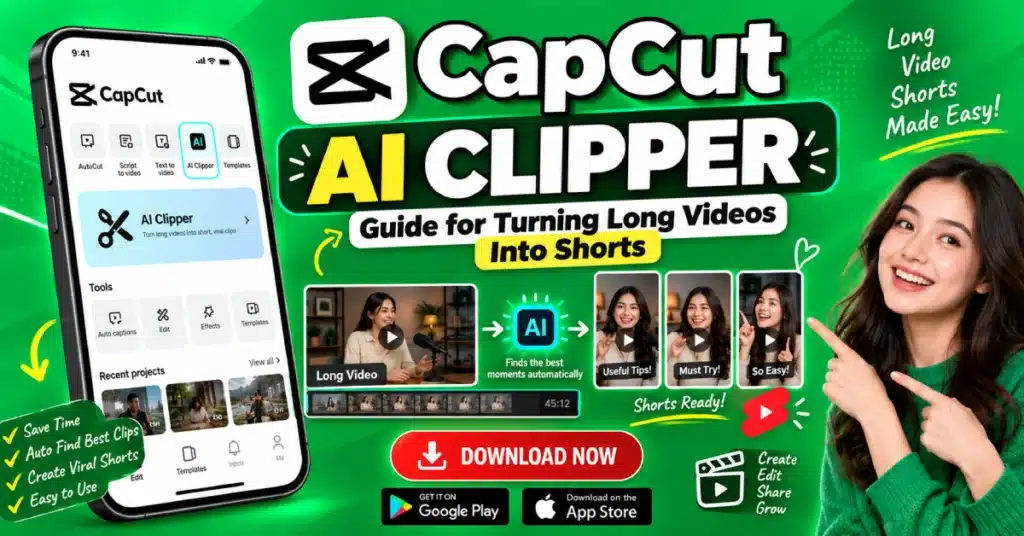
What Is CapCut AI Clipper?
CapCut AI Clipper uses AI to help find shorter sections inside longer videos.
Let’s say you recorded a 45 minute interview. There may be five or six moments that would work nicely as short videos. Finding them yourself means sitting through the recording and noting the timestamps.
The AI tool can help with that first pass.
It may check for sections where someone discusses a topic or where the conversation becomes interesting. The version you use may also offer editing features.
The exact options can change with CapCut updates.
Why Is It Useful?
Long videos often contain more content than you need for one social media post.
A single podcast episode might give you several short clips. The same thing applies to a classroom recording, gaming stream, webinar, or interview.
Instead of opening the CapCut video editor and searching through the entire recording yourself, you can use AI to get a few starting points.
That can be a real time saver.
It is especially useful for people who regularly post on:
- YouTube Shorts
- TikTok
- Instagram Reels
- Facebook Reels
Turning a Long Video Into Shorts
The exact buttons may be different in your CapCut version, but the basic process is easy to follow.
Start With Your Video
Open CapCut and look for the AI clipping tool or a feature that turns long videos into short clips.
Add your video.
A clear recording helps. Good audio is important too, especially if the video is mostly someone talking.
Once the video is uploaded, start the clipping process.
Let the AI Find Possible Clips
Now let CapCut work through the recording.
The tool may return several short sections.
Do not assume that every suggestion is ready to publish.
Open the first clip and watch it properly.
Then check the next one.
You may find a great moment straight away. You may also get clips that begin in the middle of a sentence or finish before the speaker has made the point.
Those need some editing.
Fix the Beginning and Ending
A short video needs a clean start.
If the speaker says, “And that is why…” before explaining the actual point, viewers may not know what they are talking about.
Move the starting point back a little.
The same applies to the ending. If the clip stops halfway through an idea, give it a little more time.
You do not need to shorten every clip much. Try to keep the thought in each clip instead of cutting parts that help the clip to be easier to understand.
Make the Video Vertical
Most short video platforms use a vertical screen.
A 9:16 format is commonly used for Shorts, TikTok, and Reels.
This can cause a small problem with older videos.
If your original recording is wide, the speaker may end up partly outside the vertical frame. Check the crop and move the frame if needed.
For an interview with two people, this is even more important. You want the person speaking to stay visible.
Check Automatic Captions
Captions can make short clips easier to watch.
CapCut may offer automatic caption tools with its current features. If you use them, read through the captions before posting.
AI can misunderstand names, places, accents, or technical words.
For example a single incorrect word can give the sentence a new meaning.
Fix those errors yourself.
It only takes a few minutes.
Give the Clip a Strong Start
The first seconds matter.
You do not always need a fancy intro. In many cases, getting straight to the useful part works better.
If someone says something interesting later in the clip, consider moving that part closer to the beginning when the meaning still works.
You can also add a short text line above the video.
For example:
“Here is why your videos look blurry.”
Then let the speaker explain it.
Keep the text readable. Do not cover the person’s face.
What Kind of Videos Work Well?
Some long videos are easier to turn into Shorts than others.
Podcasts are a good example because one conversation can contain many separate topics.
Interviews work in a similar way.
You can also use long videos such as:
- Online lessons
- Gaming recordings
- Webinars
- Tutorials
- Product discussions
- Talks
- Live streams
A long video does not automatically make good Shorts, though. The original content still needs useful or interesting moments.
A Quick Review Table
Before posting a clip, check these points:
| Check | What to look for |
| Start | Does the clip make sense immediately? |
| End | Does the thought finish properly? |
| Captions | Are all words correct? |
| Framing | Is the speaker visible? |
| Audio | Can you hear the voice clearly? |
| Length | Does the clip feel too long? |
| Text | Is it easy to read? |
This little check can prevent a lot of simple mistakes.
What AI Cannot Do for You
AI can find possible highlights.
It cannot know exactly what your audience will like.
A clip may seem important but still feel boring when watched alone. Another small comment that the AI ignores may actually be the best part.
So treat the AI suggestions as a starting point.
Watch them yourself.
You know your audience better than the tool does.
Is CapCut Pro Needed?
Not every CapCut feature requires CapCut APK. Access to AI tools can depend on your version, account, region, and current plan.
Some features may have limits or require paid access.
If a tool is locked in your app, check the information shown there rather than assuming every AI feature is included.
What About CapCut Pro APK?
You may see websites offering a CapCut Pro Mod APK with claims about unlocked AI tools.
Be careful with unofficial app files.
They might not include the tools as the official app and downloading modified apps can put your security and privacy at risk.
For reliable editing, use the official CapCut app and the features available to your account.
Conclusion
CapCut AI Clipper helps you find moments in long recordings without spending as much time searching. It can work with podcasts, interviews, lessons, gaming videos and other long content. Let the AI suggest clips then check the opening, ending, captions and vertical framing. A quick human review can turn a clip into a better Short.
FAQs
What is CapCut AI Clipper?
It is an AI based tool that helps find shorter sections from long videos so creators can turn them into clips for short form platforms.
Can it make YouTube Shorts from long videos?
Yes, it can help create short clips from longer content when the required feature is available. You should have permission to edit the source video.
Does it automatically add captions?
Depending on the available CapCut tools, automatic captions may be included. Always check them because AI can make transcription mistakes.
What video size should I use?
A 9:16 vertical format is commonly used for YouTube Shorts, TikTok, and Instagram Reels.
Are AI generated clips ready to post?
Not always. Watch each clip and check the context, cuts, captions, framing, and sound before publishing.
Is CapCut AI Clipper free?
Access varies by CapCut version, account, region, and feature. Some AI tools may have usage limits or require paid access.