CapCut Beat Sync Made Easy for Perfect Music Edits in 2026
CapCut Beat Sync can save a lot of time when you are making a video around music. You can follow the song’s beat of guessing where to place each cut. This works well with short edits, travel clips, gaming montages, photos and fast social media videos.
The first time you use it, the timeline can look a little confusing. Once you understand what the beat markers are doing, the idea becomes much easier.
Start With Your Music
Open CapCut and create a new project. Add the videos or photos you want to edit, then bring in your music. I would choose the song before doing much cutting. The rhythm affects the whole edit. A slow track will give you a completely different feel from a fast song with strong drum beats.
Once the audio is on the timeline, listen to a few seconds of it. You will start noticing the points where the music changes or hits harder. Those are the moments where your clips can change.
Find Beat Sync
Select the music track in your project and look for the beat or rhythm option available in your CapCut version. The exact button can move around between updates, so do not worry if your screen looks slightly different from a tutorial you watched.
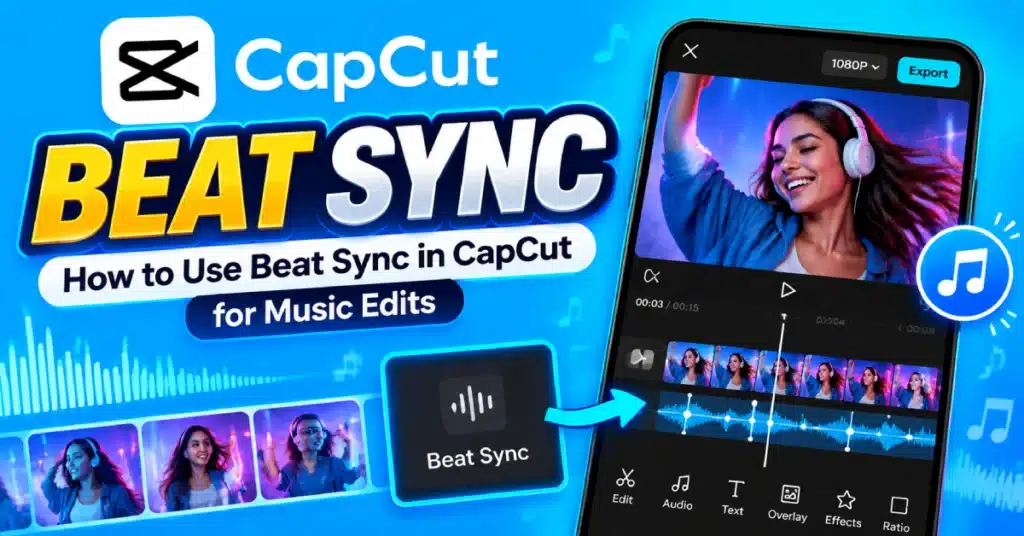
CapCut can analyze the music and place beat markers along the timeline. These markers show points where the audio has noticeable beats.
That gives you something to work with instead of cutting completely by ear.
Match Your Clips to the Markers
This is where the edit starts to come together. Move your clips around the timeline and line important changes up with the beat markers. A new clip can appear when the beat hits. You can also use a photo change, zoom, transition, or effect at the same point.
You do not have to use every marker. That is actually important. If you change the image on every single beat, the video can become tiring very quickly. Sometimes letting one clip continue across two or three beats looks much better.
The CapCut video editor gives you enough control to mix quick cuts with longer moments.
Let the Music Decide the Pace
A common mistake is choosing the clips first and trying to force the music around them. Try the opposite when you are making a music focused edit.
Listen to the song and notice its personality. Is there a quiet opening? Does the chorus suddenly become louder? Is there a strong beat before a drop? Those changes give you natural places to change the visuals.
For a travel video, you might keep one landscape shot during the quieter section and then switch through several short clips when the music becomes faster.
For gaming content, you could time a major gameplay moment with a strong beat.
Use Photos With Beat Sync
You do not need video clips. Photos can work really well with this style of editing. Add several pictures to the timeline and give them enough time to be understood. Then use the beat markers to decide where each photo should change.
Try mixing longer and shorter photo durations instead of making every image exactly the same length. It makes the sequence feel less mechanical.
If you use the CapCut Pro version, you may also have access to extra effects and editing options, but the basic idea works without turning the project into an effects showcase.
Add Effects Carefully
Beat synced edits often look good with small movements. You might zoom in slightly when the beat hits, add a quick flash, or use a short transition between two clips.
The trick is knowing when to stop. If every beat has a transition, shake, flash, and zoom, the viewer has nowhere to rest their eyes. Pick a few moments that deserve extra attention. Leave the rest clean.
That usually gives the music more room to work.
What If the Beats Are Wrong?
Automatic beat detection makes editing easier but Automatic beat detection is not always perfect so check the results yourself. Songs with rhythms, quiet sections or background noises may have beats that are hard for the tool to find. If a marker feels wrong, simply move your cut.
Your ears matter more than the marker. You can also listen again with headphones. A beat that seemed correct through your phone speaker may feel slightly different when you hear the full track clearly.
Make the Ending Fit the Song
Do not forget the final few seconds. If the music ends suddenly, letting the video continue for another two seconds can make the edit feel unfinished.
Try to end the last clip close to the end of the music. If the song has a final beat, that can be a nice place for the last visual change. A simple ending is often better than adding another transition just because the timeline feels empty.
Export Your Music Edit
Watch the entire edit once before exporting. Pay attention to the cuts rather than just the effects. Do the visuals actually follow the music? Are some sections changing too quickly? Does the ending feel natural?
If you use CapCut Android, the layout and names of some tools may differ depending on your installed version. The basic beat syncing idea remains the same.
When you are happy with the result, export the video in a quality that works well for your chosen platform.
Final Thoughts
Good beat syncing is not about making every cut land on every drum hit. It is about giving the video a rhythm. Start with the song, find its moments and use them to guide your cuts. Some clips can change quickly while others can stay on screen longer.
If you are using CapCut Pro features, it can be tempting to add more effects to make the edit feel exciting. Resist that urge when the music is already doing the heavy lifting. A few well timed cuts can look better than a timeline packed with effects.
Frequently Asked Questions
What is CapCut Beat Sync?
It is a feature that helps identify beats in your music so you can line video clips, photos, and effects up with the rhythm.
Can I use Beat Sync with photos?
Yes. You can arrange photos on the timeline and use the detected beat points to decide when each image should change.
Does Beat Sync automatically edit the whole video?
Not always. Beat detection gives you a starting point.. You can adjust clip timing, transitions, effects and the overall arrangement.
Why do my clips feel too fast?
You may be changing clips on every detected beat. Try keeping some clips on screen for several beats and reserve quick cuts for stronger parts of the song.
Can I use Beat Sync for TikTok videos?
Yes, it is especially useful for short music edits where the timing of each clip follows the rhythm of the song.
Do I need CapCut Pro for Beat Sync?
Basic beat based editing does not necessarily require Pro. Available tools can vary by platform, app version, and region.