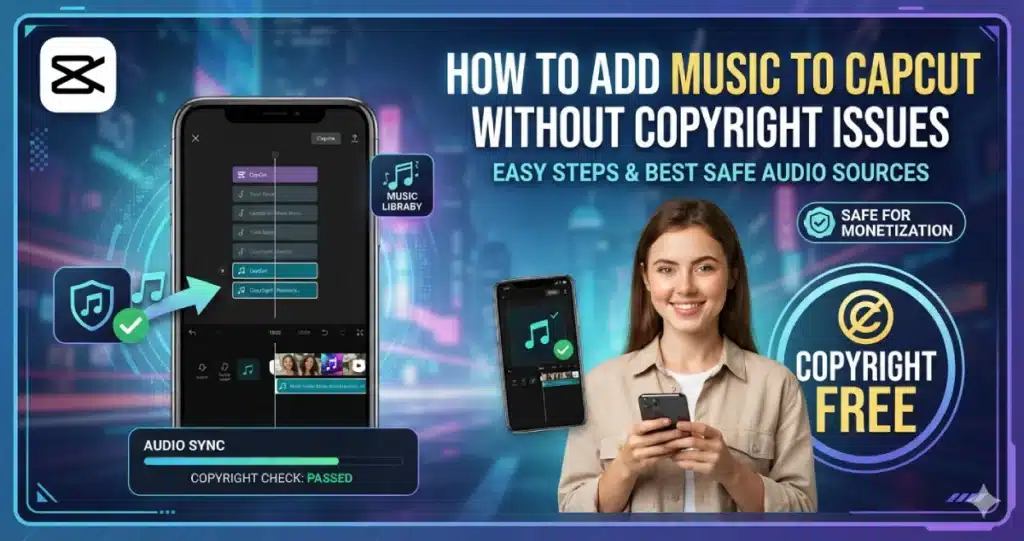
How to Add Music to CapCut Without Copyright Issues 2026
Introduction
Music can completely change the feeling of a video. A simple travel clip can feel exciting with the right song, while soft background music can make a tutorial or story more enjoyable. The difficult part is choosing music you are actually allowed to use.
You can learn how to add music to CapCut in no time. CapCut gives you a lot of options like using its library, importing audio from your device, taking sound from videos and adding your own voice recordings. Editing your music is simple and fast.. You need to be very careful with the copyright part when you add music to CapCut.
A song being available online does not automatically mean you have permission to use it. The same is true when editing with CapCut Pro. Your right to publish a song depends on the music license, how you obtained it, and where you plan to post the finished video.
This guide is here to help you add music to CapCut on your device. You can use CapCut on Android, iPhone, PC and Mac. The guide talks about copyright basics and royalty free music. It also explains how to set the volume and sync the audio. If your music is not working correctly the guide has some fixes.
Why Add Music to a CapCut Video?
A video without music can sometimes feel empty.
Music creates mood and helps connect different clips. It can also make cuts and transitions feel more natural when they follow the beat.
Creators commonly add music to:
- TikTok videos
- Instagram Reels
- YouTube Shorts
- YouTube videos
- Travel videos
- Vlogs
- Product videos
- Slideshows
- Tutorials
- Gaming videos
The right track should support your content rather than overpower it.
For a tutorial, quiet background music may be enough. For a fast travel edit, a stronger beat can help you time cuts and transitions.
How to Add Music to CapCut?
The basic process is simple.
Open a project, import your video and access the controls. Choose a music source from the controls. The music track will appear on the timeline. You can trim the music track, move the music track, adjust the volume of the music track or add fade in and fade out effects to the music track.
Here is a quick overview:
| Music Source | How It Works | Copyright Check Needed? |
| CapCut audio library | Select music inside CapCut | Yes, check permitted use |
| Your own music | Import an audio file | Depends on ownership |
| Original recording | Use music you created | Usually safest if fully yours |
| Extracted video audio | Pull audio from another clip | Yes |
| Licensed music service | Import licensed track | Follow its license |
| Social platform library | Add music through the platform | Follow platform terms |
Do not judge copyright safety only by where you found the song. The license is what matters.
How to Add Music to CapCut on Android?
Adding music on Android only takes a few steps.
If you mainly create videos on a Samsung, Xiaomi, Google Pixel, or another Android phone, your CapCut for Android page can also help readers with the wider Android setup.
Steps to Add Music on Android
- Open CapCut.
- Tap New Project.
- Choose your video.
- Add it to the timeline.
- Tap Audio.
- Choose the available sound or music option.
- Browse the available tracks or import audio from your device.
- Tap the track you want to use.
- Add it to the timeline.
- Move the audio to the correct starting point.
- Trim any unwanted part.
- Adjust the volume.
- Preview your video.
- Export when everything sounds right.
The names of individual audio controls may change between CapCut versions, but the workflow remains similar.
Always listen to the complete edit with headphones before exporting. A track that sounds quiet through phone speakers can sometimes be too loud when heard clearly.
How to Add Music to CapCut on iPhone?
The iPhone process is similar to Android.
You can add available CapCut audio or import supported files that you have the right to use. If you regularly edit on an iPhone or iPad, CapCut for iOS is a useful internal link for platform specific information.
Steps for iPhone
- Open CapCut.
- Create a new project.
- Import your video.
- Tap the Audio option.
- Browse available sounds or choose an import option.
- Select your music.
- Add the track to the timeline.
- Drag it to the correct position.
- Trim the beginning or end if needed.
- Adjust the volume.
- Add fade in or fade out when suitable.
- Preview the video.
- Export your finished project.
If you cannot see a song you downloaded make sure it is in the place and that CapCut can see the file.
You have a song on your iPhone. You want to use the song in a video.. You need to get permission first. You cannot just use the song.
How to Add Music to CapCut on PC?
A desktop timeline gives you control over editing the audio especially when you are making a video that is going to be really long.
You have a lot of space to put music, voiceovers, sound effects and video cuts in the place. This makes it easier to get everything right.
If you create longer YouTube videos or desktop projects, your CapCut for PC page can support this section naturally.
Add Music on PC
- Open CapCut on your computer.
- Start a new project.
- Import your video.
- Drag it onto the timeline.
- Open the Audio section or import your own supported audio file.
- Choose the music you want.
- Drag the audio track onto the timeline.
- Position it below your video.
- Trim the track to match the project.
- Adjust its volume.
- Add fades when needed.
- Play the entire video.
- Export the finished project.
The larger timeline is useful when you need music to start at an exact moment.
You can zoom into the timeline and line a beat up with a cut, transition, text animation, or other action.
How to Add Music to CapCut on Mac?
Mac users can follow almost the same desktop workflow.
If you use a MacBook or iMac for most of your editing, your CapCut for Mac guide can provide more information about the desktop version.
Steps on Mac
- Launch CapCut.
- Create a project.
- Import your video.
- Add it to the timeline.
- Open the available audio tools.
- Choose a track or import an audio file you can legally use.
- Add the music to your timeline.
- Move it to the correct position.
- Trim the audio.
- Set its volume.
- Apply fades if needed.
- Preview the complete project.
- Export your video.
Desktop editing can be more comfortable when you have several audio tracks. It is much easier to see where music, speech, and sound effects overlap.
How to Add Your Own Music to CapCut?
You are not limited to tracks shown inside the app.
CapCut can also let you import supported audio files from your device, depending on the platform and version you use.
This is useful if you have:
- Music you created yourself
- A licensed royalty free track
- Original background music
- Audio purchased with suitable usage rights
- Music supplied by a client
- A track from a licensed music service
First import the audio file into your project. Then you can put it on the timeline. It is like any other audio track that you use.
But there is an important point here.
Owning a music file and owning the music rights are not the same. You can own a music file. Someone else may own the music rights.
access to a song does not usually include the right to use it in a public or commercial video.
Can You Add Music From Your Phone to CapCut?
Yes, supported audio stored on your device may be imported into CapCut.
The exact import method depends on your phone and app version.
On Android, the audio may be stored in Downloads, Music, or another folder. On iPhone, file access works differently, so the music needs to be available through a location CapCut can access.
If the track does not appear, check:
- File format
- Storage permissions
- File location
- Whether the download completed
- Whether the audio file is damaged
Copyright rules still apply to imported songs.
How to Add Copyright Free Music to CapCut?
This is where many people become confused.
People say music is copyright free. That is not always true. Music can still be protected by a copyright. You can use the music if you follow the rules that come with the copyright.
A safer approach is to look for music with clear usage terms.
You may use:
- Music you created yourself
- Properly licensed royalty free music
- Public domain music where applicable
- Music released under a suitable Creative Commons license
- Music provided by a platform for the type of use you plan
- Tracks for which you received direct permission
Always read the actual license.
Some tracks are free for personal videos but not commercial work. Others require attribution. Some may allow YouTube use but have different rules for advertising.
What Does Royalty Free Music Mean?
Royalty free does not necessarily mean the music costs nothing.
It usually means the license allows you to use the music track under conditions. You can use the music track without paying a royalty each time your video is watched or played. This is a thing because you can use the music track many times without having to pay a lot of royalties.
Some royalty free tracks are free. Others require a one time payment or subscription.
The important part is the license.
Before adding a track, check:
- Where you can publish it.
- Whether commercial use is allowed.
- Whether attribution is required.
- Whether the license covers social media.
- Whether there are limits on ads or sponsored content.
- Whether you need to keep proof of the license.
Save your license or receipt when using music in important projects.
Is Music Inside CapCut Copyright Free?
You can not assume that every song in an editing app can be used on all platforms without any limits.
CapCut has a lot of music and sounds that you can use. It is not the same for all of them. What you can do with them depends on the music, what kind of account you have, where you live, what you want to use it for and where you will put the video.
This distinction matters.
A track that’s available for your project is not the same as having unlimited rights to use the track. You do not have rights to use the track for commercial use on every platform.
You should always check the licensing terms for a music track before you use it for business content or for advertisements or for sponsored posts or for videos that make money.
How to Avoid Copyright Issues When Adding Music?
Making changes to the sound does not mean your video will stop getting a copyright claim.
The safer approach is to use music you have permission to use.
Before publishing:
- Check the track’s license.
- Confirm commercial rights if needed.
- Read attribution requirements.
- Keep proof of your license.
- Avoid downloading random copyrighted songs.
- Check platform specific music rules.
- Use original music when possible.
Changing the speed or pitch of music that is copyrighted is not an idea. It does not mean the copyright owner does not have rights over the music anymore.
Can I Use Popular Songs in CapCut?
You can add music to your video.. Popular music can only be published if you have the right to use it and the platform you use allows popular music.
Popular commercial songs are generally protected by copyright.
Social platforms sometimes have licensing arrangements that let users add certain songs through their own music libraries. Those permissions can be limited to specific platforms or types of accounts.
A song available for a personal social post may not automatically be cleared for:
- Advertisements
- Client work
- Sponsored videos
- Business accounts
- Monetized content
- Videos posted on another platform
Check the relevant terms before publishing.
How to Add Music to CapCut for YouTube?
Music is something that YouTube video makers need to be careful with. The reason is that the systems that check for copyrights can find protected music in videos.
A video may receive a Content ID claim if it contains copyrighted music.
The rights holder and the situation can affect your video. This means your video’s money making ability determines how many people see it or if people can see it all may change.
A safer choice is to use music that clearly allows YouTube use.
You can use properly licensed tracks or music offered through YouTube’s own creator resources under their stated terms.
After choosing the music:
- Download or obtain the permitted audio.
- Import it into CapCut.
- Add it to your timeline.
- Trim it to match the video.
- Adjust the volume.
- Export your project.
- Keep any required license information.
If attribution is required, add it where the license tells you to.
How to Add Music for YouTube Shorts?
Shorts are still subject to music rights.
One practical option is to edit your video in CapCut without adding an unlicensed commercial song. Export the video, then use music offered through YouTube’s own Shorts tools when appropriate.
This can make platform permissions easier to understand.
Before sharing your Short make sure the license, for any third-party track added in CapCut permits your intended publishing method.
Even if a music clip is very short you still cannot use it without asking. The music is. You need permission.
How to Add Music to CapCut for TikTok?
TikTok and CapCut are closely used by short form creators, but you should still pay attention to music rights.
Music available through a social platform may be licensed for certain uses within that platform.
Business and commercial content can have different rules from normal personal content.
You should always check the music license before you make a TikTok for a brand or a product or a client or a paid campaign to make sure you can use the music for things.
A simple alternative is to finish the video in CapCut and apply approved music when publishing through TikTok.
How to Add Music for Instagram Reels?
Instagram also provides music options within its own platform, but availability and usage rights can depend on account type, region, and intended use.
A personal account may see music that is not available to a business account.
If you create branded or commercial Reels, use music that is clearly allowed for that purpose.
You can still edit the full visual project in CapCut and add the final music later through Instagram when that fits your workflow.
This can be easier than importing a random song and hoping it will not cause a rights issue.
How to Extract Music From a Video in CapCut?
CapCut can also separate audio from a video.
This is useful when the sound comes from footage you created yourself.
The process generally works like this:
- Import the video containing the audio.
- Add it to your project.
- Select the clip.
- Choose the available audio extraction option.
- CapCut creates a separate audio track.
- Edit or move the extracted sound.
- Remove the original video if it is no longer needed.
Be careful with audio from videos you do not own.
Even if you can take copyrighted music from a video you cannot use it without permission. The music is still protected by copyright.
How to Add Music Without Original Video Sound?
Sometimes the original recording contains noise that you do not want.
Maybe there is wind, traffic, people talking, or background television.
You can lower or mute the original clip audio and use music instead.
Simple Method
- Select your video.
- Open its volume control.
- Lower the original audio.
- Add your music track.
- Adjust the new track’s volume.
- Preview the result.
It is not always an idea to turn off the original sound completely. Travel videos and food videos and outdoor videos are better when they have a bit of background audio.
How to Add Background Music Without Covering Your Voice?
This is one of the most common mistakes beginners make.
Music should not fight with your voice.
If your video has spoken audio you should reduce the background music. This makes every word easy to understand.
You see volume settings are not the same for every project. This is because each song and each recording has its loudness level. The loudness level of a song and a recording can be very different.
Listen with headphones.
Then listen again through normal phone speakers.
When you really have to pay attention to hear the speaker the background music is probably too loud.
How to Fade Music In and Out?
A song that suddenly starts at full volume can sound rough.
Fade in and fade out controls make the beginning and end smoother.
A fade in slowly raises the volume.
A fade out slowly lowers it.
They work well for:
- Intros
- Outros
- Vlogs
- Tutorials
- Emotional videos
- Slideshows
Keep fades natural. You usually do not need a very long fade for a short social video.
How to Trim Music in CapCut?
Your song will often be longer than your video.
There is no need to keep the whole track.
Select the audio and trim it to the part you need.
You can also split the music and remove unwanted sections.
For example if the best part of a song starts twenty seconds in you should cut out the start. Play the song from the best part.
This gives your video more energy without making viewers wait.
How to Sync Music With Video in CapCut?
Good timing makes even simple editing feel more professional.
Try placing important cuts on strong beats.
For example, if you have five travel clips, change scenes when the music hits a clear beat instead of cutting at random times.
You can also match:
- Transitions
- Text animations
- Zooms
- Product reveals
- Slow motion
- Reverse effects
to the music.
If you are having trouble lining up sound and video, your existing guide on how to sync audio in CapCut is a useful internal resource.
How to Match Music With Slow Motion?
Slow motion works especially well with softer or dramatic sections of music.
First create the speed effect, then move your audio so the important moment happens at the right part of the track.
For example, a jump can move into slow motion just before a beat drop.
Your published guide about the slow motion effect on CapCut can help readers create the visual part of this effect.
Do not slow down every clip. One well timed slow motion section often looks better.
How to Use Music With Reverse Videos?
Reverse clips can look strange with their original audio.
In many cases, it is better to mute the recorded sound and add new music or a sound effect.
You can time the reversed action to a beat or use a short whoosh effect.
If you want to create this style of edit, your guide on how to reverse a video in CapCut is a strong internal link here.
Music can make a simple backward movement feel much more intentional.
Can You Add Music With CapCut APK?
If your Android version supports audio importing and the required editing features, you can add music to a project.
Users accessing CapCut APK Download should remember that features and menus can differ between versions.
Older versions may not show the same audio library or controls as newer releases.
You should also avoid assuming that music becomes copyright safe because it was added through a particular app version. Copyright permission comes from the rights or license attached to the music.
Why Can’t I Add Music to CapCut?
There can be several reasons.
Your audio might not appear in the project CapCut may refuse to import it. The track may not load successfully.
Common causes include:
- Unsupported audio format
- Damaged audio file
- Missing storage permission
- Internet connection problem
- Outdated app
- Cloud audio not loading
- Temporary CapCut error
- File not fully downloaded
Try another audio file first.
If a different track works, the problem is probably related to the original file rather than CapCut itself.
Why Is CapCut Music Not Loading?
Online sounds may need an active internet connection.
If the audio library loads slowly or remains empty, check your connection first.
Restarting CapCut can also help.
If other online tools are failing at the same time, your CapCut no internet connection fix guide can help readers troubleshoot connection problems in more detail.
Do not repeatedly tap the same audio while it is still loading. Give the app time to finish downloading the required data.
Why Is My Music Out of Sync?
Audio can move out of sync after trimming, splitting, changing video speed, or rearranging clips.
Zoom into your timeline and find the exact moment where the problem starts.
Then move the audio until it lines up correctly.
If you changed video speed, remember that the visual timing has changed while your music track may still have its original length.
This is why I prefer to finish major trimming and speed changes before doing detailed music synchronization.
Why Does My Music Disappear After Export?
First, check whether the audio is muted or set too low in your project.
Play the timeline before exporting.
If it sounds correct inside CapCut but disappears afterward, try a short test export.
You can also:
- Restart CapCut.
- Reimport the audio.
- Check the file format.
- Update the app.
- Free some storage.
- Export again.
For broader export problems, your existing CapCut Pro export problem guide can be linked here if it matches the issue.
Does Adding Music Reduce Video Quality?
Music itself does not need to reduce the visual quality of your video.
The video quality is influenced more by things like your export settings, the source footage, the resolution, the frame rate and the bitrate you use for your video.
The audio needs to sound clear. After the audio sounds clear you need to select the settings for the platform where your video will go live. Your video will go live on this platform.
Your guide about the best CapCut export settings can help readers choose a good final resolution and frame rate.
Avoid repeatedly exporting and reimporting the same project because repeated compression can reduce quality.
Can You Use Music Offline in CapCut?
Music stored locally on your device can often be used without downloading it again once it is available to the app.
Online libraries are different.
You may need internet access to browse, preview, or download tracks and other audio resources.
Some features may also depend on the current version and platform.
You should make sure you download music that is licensed and all the things you need to edit videos before your trip if you are going to edit videos without internet access.
Common Copyright Mistakes to Avoid
Adding music is easy. Using it correctly requires a little more care.
One common mistake is thinking that crediting the artist automatically gives you permission. It does not unless the license says attribution is enough.
Another mistake is assuming a short section of a song is always safe.
Also avoid thinking that changing the pitch, speed, or volume removes copyright protection.
Other mistakes include:
- Downloading songs from random websites
- Assuming “no copyright” in a title proves the license
- Ignoring commercial use restrictions
- Losing proof of a paid license
- Using personal licenses for client work
- Reusing platform licensed music somewhere else without checking
When in doubt, check the license before publishing.
Best Music Choices for Different Videos
The music should match the type of content.
| Video Type | Music Style to Consider |
| Travel vlog | Upbeat or cinematic |
| Tutorial | Light background music |
| Product video | Clean modern track |
| Gaming edit | Energetic music |
| Story video | Soft emotional music |
| Food video | Light upbeat track |
| Fitness video | Fast energetic track |
| Slideshow | Calm instrumental music |
These are not strict rules.
You have to select music that helps you share your feelings with your viewers. This is really important.
Pro Tips for Adding Music in CapCut
Choose your music early, but finish major video cuts before spending too much time syncing every beat.
Keep background music lower than speech.
Use fades at the beginning and end when they improve the transition.
Cut on beats when it fits the style.
Do not add several music tracks just because you can.
Check copyright permission before publishing.
Save proof of important licenses.
Preview the video with headphones and phone speakers.
If the music feels like it is fighting with your video, simplify it.
Good audio should make the edit feel better without becoming a distraction.
Is CapCut Pro Required to Add Music?
You do not always need to pay for a plan to do audio editing.. The audio editing tracks you can use and the premium resources you can get and the AI features you can use and the audio tools you can access are different for each audio editing version and platform and region and subscription you have.
Check what your current version offers first.
If you regularly use premium effects, templates, AI tools, audio resources, and other advanced features, CapCut Premium may provide more value across your complete editing workflow.
A subscription still does not automatically give you unlimited rights to every piece of music for every possible use. Always check the relevant licensing terms.
Is CapCut Good for Beginners Adding Music?
Yes. The timeline makes basic music editing easy to understand.
You can add a track, move the audio track into place, trim the audio track, adjust the volume of the audio track and preview the result without needing to know a lot about audio editing.
The problem is picking music that helps your video and is right for the place it will go.
Start with one music track.
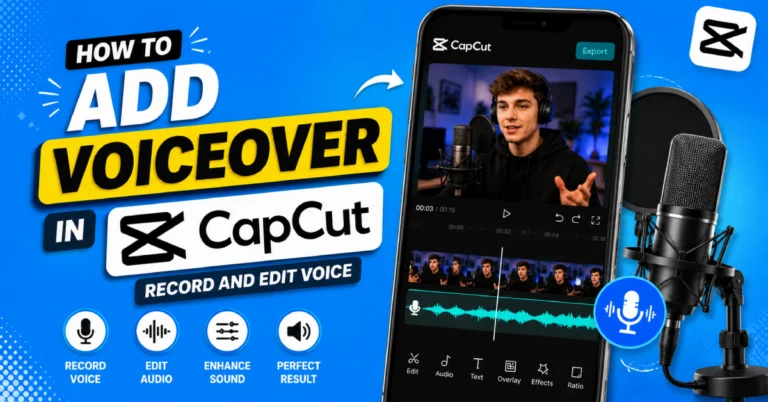
You know what is great about audio? When you get the volume and timing right you can add voiceovers and sound effects to the audio without making the audio feel like it is much.
Quick Checklist Before Exporting
Before exporting a video with music, check:
- Do you have the right to use the music?
- Does the license cover your intended platform?
- Is commercial use allowed if needed?
- Is attribution required?
- Is the music too loud?
- Can you clearly hear speech?
- Does the music start at the right time?
- Are cuts synced correctly?
- Does the ending sound natural?
- Have you saved proof of the license if needed?
- Have you watched the complete video?
If everything looks and sounds right, you are ready to export.
To find information about CapCut you can go to the **CapCut Pro APK Download** page from the homepage. This page has a lot of things including guides for the platform and information about editing features. You can also find related information about CapCut.
Final Thoughts
Using music in CapCut is easy to learn. Selecting the right track is the more important step. You can use built-in sounds, import your audio, extract sound from videos and combine music with voiceovers and audio effects.
The most important part is copyright permission.
Just because a song is easy to download. It is in a video editing app does not mean you can use the song. You need to read the license for the song and make sure it allows your intended use of the song and the publishing platform for the song. Always check the terms for the song before adding the song to your video.
When you know that the licensing is clear you can start working on your edit. The music should be softer than your voice. So lower the music beneath your voice. You do not want the music to be too loud. Remove any parts of the music or video that you do not need. Add fades when they will improve the video.. Try to sync the major cuts with the beat of the music. This will make your video sound better.
If you time things right and use music that you are allowed to use, even a simple CapCut video can look really good. Be fun to watch.
Frequently Asked Questions
How do I add music to CapCut?
Begin with your CapCut project. Open the project. Select **Audio**. Choose a music track from the library that CapCut has.. Import a music file from your device. Put the track on the timeline. Trim the music track. Shift the start of the track. Fine-tune the volume. Add fades. Do all this before you export your video from CapCut.
Can I add my own music to CapCut?
Yes CapCut can import supported audio stored on your device. Availability depends on your version and platform. You can add music or licensed tracks. However, storing a song on your device does not automatically allow you to publish it in a video.
Is CapCut music copyright free?
Do not think that every song on CapCut can be used without any limits. The rules for music are different for each song. They can change based on where you are, what kind of account you have and what you want to do with the song. Look at the rules for the song before you use it in ads or videos that make money.
How can I add music to CapCut without copyright issues?
Music can be a problem. A safe choice is to use music or tracks with a clear license that matches how you plan to use the music. Make sure commercial use of the music and your publishing platform are covered by the license for the music. Provide attribution if it is required for the music and save your license details for the music. Editing copyrighted music does not automatically make it safe to publish the music.
Can I use popular songs in my CapCut videos?
You can technically edit with many types of audio, but publishing popular copyrighted songs requires suitable rights or platform permission. Social platforms may license certain songs for specific uses. Those permissions may not cover advertisements, business accounts, client projects, monetized videos, or reposting the same video elsewhere.
Can I use CapCut music on YouTube?
The rights connected to the track and your planned use are what matter. Do not think a song is automatically licensed for YouTube because it is in an editing app. Check its current licensing terms. Properly licensed music or YouTube’s own creator music resources can be safer choices.
Why can’t I add music to CapCut?
Your audio file might not be imported into CapCut because it is not in a format that CapCut can use. The file could be. It might be stored in a place that CapCut cannot get to. Maybe it was only partially downloaded. Other things that could cause import problems include CapCut not having the right permissions or network issues or your version of CapCut being outdated. Try importing an audio file that you know CapCut supports. If that file imports successfully then the original file is probably causing the issue.
Does changing a copyrighted song avoid copyright claims?
No. Changing a song’s music speed or pitch or volume or length or other music aspects does not give you permission to use the song. If you want to put your video online you need to use music that you have a license for. You have to do what the license says and follow the website’s rules.