CapCut AI Video Editor Guide 2026 for Faster Editing
There are parts of video editing that are actually fun. Picking the best shot is one of them. Playing with music can be fun too. Then there are the small jobs. You remove a mistake, then another one. You type captions. You fix the timing. You clean up the sound. Five minutes later, you are still working on something that nobody will notice when the video is finished.
This is where the CapCut AI Video Editor can come in handy. Its AI tools are meant to take some of that routine work off your hands.
What Does the AI Editor Actually Do?
CapCut has added AI features to several areas of its editor. They are not one single tool that edits everything for you. Instead, you get different options for different jobs.
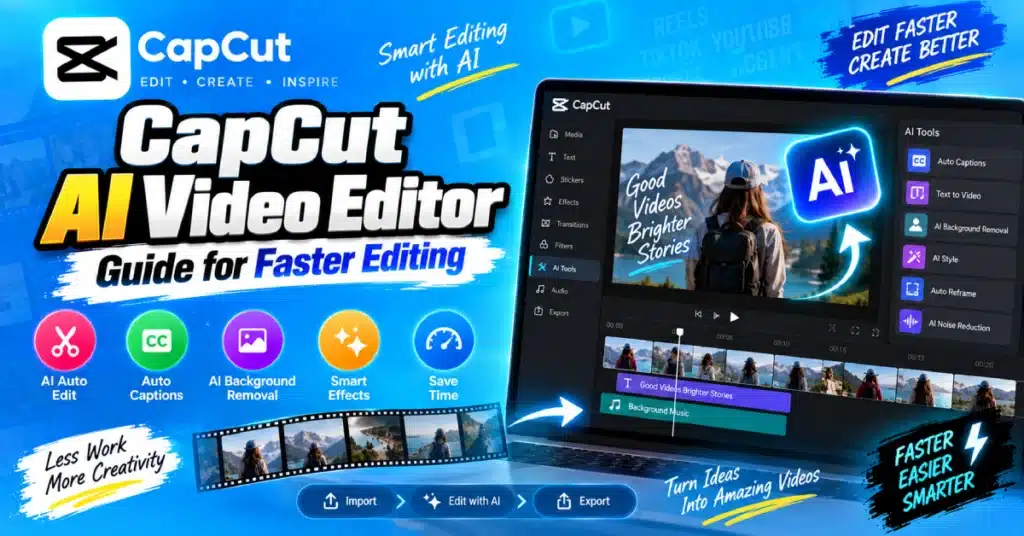
You might use AI to turn speech into captions. You could remove a background without manually tracing around a person. Audio tools can also help with unwanted noise, while some creation features can build video content from text.
The tools available to you can depend on your CapCut APK version, device, region, and account.
Start With Your Original Video
AI works with the material you give it. If the recording is dark, shaky or has much background noise the editor has less useful material to work with. A clean recording gives you a better starting point.
So before trying effects, look through your clips. Delete the obvious mistakes. Keep the useful takes. You do not need to make every cut perfect at this stage.
Captions Without the Typing
If you make talking videos, you probably know how long captions can take. CapCut can listen to the speech and create captions automatically. Once they appear, read them like you would read your own script.
A word can be wrong even when the sentence looks fine. This happens with names, unusual words, accents, and speech that is recorded in a noisy place. Fix those mistakes before exporting the video.
For Shorts and Reels, readable captions can also make the video easier to follow when someone is watching without sound.
Background Removal Has Its Uses
You do not always need a green screen to change a video background. An AI background removal feature can detect the main subject and separate it from the scene behind them. You can then put another image or clip underneath.
It works well for content such as videos, product demonstrations, presentations and social media posts. Hair and small details can sometimes be difficult for automatic tools. Give the finished cut a close look, especially around the edges of the subject.
What About AI Video Creation?
Some CapCut AI features can use text or other input to help create a video project. For instance, you may have an idea for a short educational video but no finished edit. A text based AI feature can give you a starting version instead of making you build everything from zero.
That sounds convenient, and it is. Still, do not assume the first result is ready to upload. Read the text. Watch the scenes. Check whether the visuals actually match what is being said.
A few minutes of editing can make a big difference.
Audio Can Change the Whole Video
Viewers will forgive a simple visual style more easily than they will forgive difficult to hear speech. If your recording has unwanted background sounds, an AI audio tool may help clean it up. The amount of improvement depends on the original recording.
After applying an audio effect, listen again. If the voice starts sounding unnatural, reduce the effect. More processing does not always mean better sound.
A Practical Editing Routine
You can keep the workflow pretty straightforward:
- Bring your recordings into CapCut.
- Remove clips and mistakes you do not need.
- Generate captions if the video contains speech.
- Check the captions manually.
- Clean the audio when necessary.
- Use background removal or another AI tool only when it adds value.
- Add your own text, music, or effects.
- Watch the finished video once before exporting.
There is no need to throw every AI feature at one project.
Where It Can Save the Most Time?
The biggest benefit often appears when you edit videos regularly.
| Editing Job | What AI May Help With |
| Spoken content | Automatic captions |
| Noisy recording | Audio enhancement |
| Talking head video | Background removal |
| Short social clips | Faster caption work |
| New video idea | AI assisted creation |
| Repeated editing tasks | Less manual work |
The goal is simple: spend time on tasks that happen over and over again and more time deciding what should be, in the video.
Do You Need CapCut Pro?
No, not for every AI feature. CapCut has free tools as well as paid features. What you can use may change with the current version, region, device, and account. CapCut Pro can provide access to additional premium resources, but check the features shown in your own app before subscribing.
If you find a modified CapCut Pro APK on a website check the source carefully before installing a modified CapCut APK. Such unofficial modified CapCut APK files may include changes that’re not part of the original app. Using the official app is the safer route.
A Few Things to Remember
AI is useful, but it does not know your audience as well as you do. It may choose a technically correct clip that feels boring. It may create a caption that sounds strange. It may remove a background but leave a rough edge around the subject.
Those are normal reasons to edit the result yourself. Use AI for the jobs that slow you down. Keep the creative decisions in your own hands.
Final Thoughts
The CapCut AI Video Editor is useful for reducing editing time. The CapCut AI Video Editor is especially helpful when the CapCut AI Video Editor handles captions, cleans audio, removes backgrounds or repeats tasks. Changing your editing style does not have to happen. Start with one AI feature in your project. Check whether it helps reduce your editing time.
If the feature helps you save time, keep it as part of your workflow. If it makes editing there is no need to use it. The goal of AI is to simplify your work not add another tool to handle.
FAQs
What is CapCut AI Video Editor used for?
It provides AI based editing tools that can assist with captions, audio, background removal, video creation, and other editing tasks.
Can CapCut create captions automatically?
Yes. CapCut can generate captions from spoken audio, but you should check the words because automatic transcription can contain errors.
Can AI remove the background from a video?
Yes. CapCut offers AI based background removal tools that can separate a subject from the original background.
Is CapCut AI Video Editor free?
Some AI features are available without payment, while others may be part of premium plans. Features can change between versions.
Can beginners use CapCut AI tools?
Yes. Most AI tools are designed to reduce repetitive work, so beginners can use them while learning the normal editing controls.
Does CapCut Pro include AI features?
Some premium AI features may require CapCut Pro. The exact selection can change, so check the current features available in your account.