CapCut Sound Not Working: Why It Happens And How To Fix It?
CapCut sound not working is one of those problems that shows up at the worst possible time, usually right after you’ve finished editing and hit export, thinking you’re done. Video plays fine. Audio? Nothing. Or maybe it’s glitchy, cutting in and out, or just completely silent where your voiceover should be. Frustrating, yeah, especially when everything sounded perfectly fine while you were still editing.
Here’s the reassuring part though. CapCut Pro sound not working almost never means your audio’s actually gone for good. Usually it’s something smaller — a rendering hiccup, an export setting mismatch, or the app just needing a restart to sort itself out. Happened to me once right before posting something, panicked for a solid minute, then realised I’d just muted the export track by accident. Worth checking the obvious stuff first, honestly, before assuming the worst.
Quick preview of what’s ahead:
- Common reasons audio drops or glitches in CapCut
- A table of causes and fixes you can scan quickly
- Device-specific fixes for mobile, PC, Mac, and iPad
- FAQs people keep asking about this exact sound issue
Why Does CapCut Sound Stop Working?
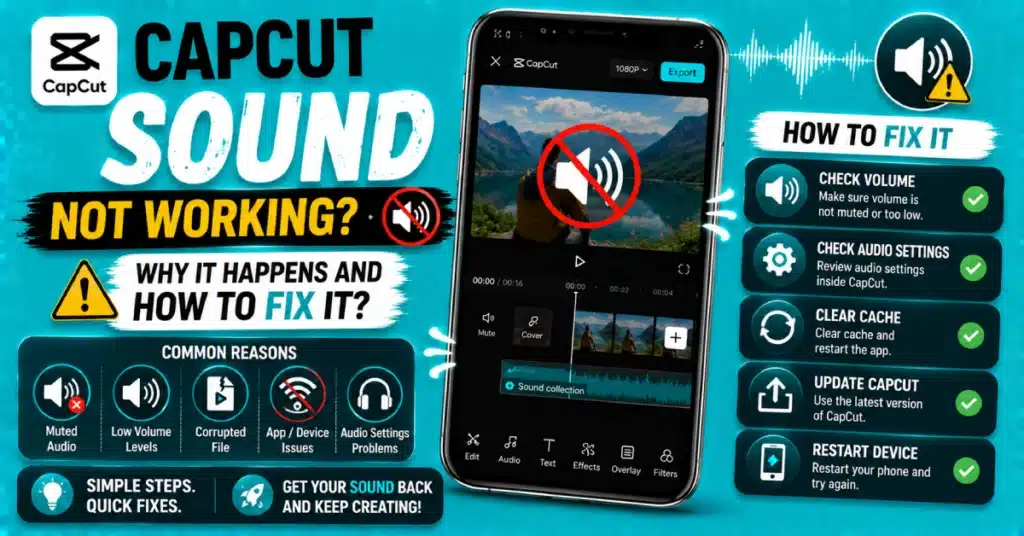
A handful of usual suspects here. Sometimes it’s an export setting conflict, where your chosen format doesn’t fully support the audio codec CapCut’s trying to use. Other times it’s a corrupted cache file interfering with playback, or your device running low on memory mid-render, which can cause CapCut no sound after export specifically, even though the preview sounded completely fine beforehand.
Occasionally it’s simpler still. A muted track you forgot about, a volume setting reset somewhere in your project, or just a temporary glitch that clears up with a plain restart. Doesn’t always mean something’s actually broken. Sometimes it’s just one of those things.
Quick Table: Causes And Fixes
| Symptom | Likely Cause | Fix |
|---|---|---|
| No sound after export | Codec mismatch or cache issue | Clear cache, re-export at default settings |
| Sound glitching mid-playback | Low device memory or lag | Close other apps, restart device |
| Sound effects not working | Effect conflict or outdated app | Update app, reapply effect |
| Silent on preview only | Muted track or volume reset | Check track volume settings |
| No sound on specific device | Platform-specific bug | Update app, restart, check settings |
Not every possible scenario, obviously, but covers most of what people run into chasing a fix for this.
Why Is My CapCut Sound Not Working, Specifically?
If you’re asking why is my capcut sound not working after everything looked fine during editing, the export stage is usually where things go sideways. Try re-exporting at a lower resolution or standard frame rate first, just to rule out your device struggling with a heavier render. If sound comes back at lower settings, that’s your answer right there.
CapCut No Sound After Export
This one’s common enough to deserve its own section. CapCut no sound after export typically points to a codec or format issue rather than anything wrong with your actual audio track. Try switching your export format if your app offers options, and check that your device has enough free storage, since a rushed export under low storage sometimes drops audio entirely without any warning.
- Check export format settings
- Confirm your device has free storage
- Re-export at standard settings
- Restart the app before trying again
CapCut Sound Glitching
If your audio’s stuttering or cutting in and out rather than being completely silent, capcut sound glitching usually traces back to your device struggling to process the timeline in real time. Closing background apps, restarting your device, and giving CapCut Pro APK a clean slate to work with clears this up more often than you’d expect.
Why Is My CapCut Audio Glitching Mobile
Specifically on phones, why is my capcut audio glitching mobile often comes down to limited RAM, especially on older devices juggling a heavy project with lots of layered clips or effects. Trimming down unused elements in your timeline, or splitting a big project into smaller sections, tends to ease the strain considerably.
CapCut Sound Effects Not Working
If it’s specifically the built-in sound effects library giving trouble rather than your main audio track, CapCut sound effects not working usually points to an outdated app version or a temporary server hiccup on CapCut’s end, since sound effects often stream rather than load locally. Updating through the official CapCut channel resolves most of these cases.
CapCut Sound Not Working On PC
Desktop users deal with this too. Capcut sound not working on pc frequently ties back to outdated audio drivers rather than the app itself. Updating your system’s sound drivers, then restarting CapCut, clears a good chunk of desktop-specific silence issues. Keeping CapCut for PC updated alongside your drivers avoids most of this altogether going forward.
CapCut Audio Not Playing Mac
For Mac users specifically, CapCut audio not playing mac sometimes relates to macOS permission settings blocking the app’s audio access. Checking your system’s privacy and security settings, confirming CapCut has microphone and audio permissions enabled, usually sorts this out. Grabbing CapCut for Mac fresh if you’re on an older build helps too.
CapCut Sound Not Working iPad
On iPad, capcut sound not working ipad issues often relate to the device’s silent switch or Do Not Disturb settings interfering with app audio, more often than people initially assume. Double-check your iPad’s physical mute switch and volume settings before digging into anything within the app itself.
Restarting And Updating CapCut Audio Not Working Mobile
For general capcut audio not working mobile complaints across Android and iOS both, the combination of restarting the app, clearing cache, and confirming you’re on the latest version resolves the vast majority of cases. If you haven’t updated in a while, the CapCut Play Store listing shows the current version alongside recent update notes.
What CapCut Sound Not Working Reddit Threads Reveal
Scrolling through capcut sound not working reddit discussions shows a familiar pattern — most people fixed it through a restart, cache clear, or app update. A smaller number needed to check device-specific settings, like muted switches or driver updates, depending on their platform. Very few reported it as a permanent, unfixable issue.
A Quick Related Fix: Noise Reduction
While you’re troubleshooting audio issues generally, it’s worth knowing how to enable noise reduction on capcut too, especially if your sound’s working fine but sounds messy or unclear. That’s a separate feature from fixing silence or glitching, aimed at cleaning up background hiss or hum rather than restoring missing audio entirely.
Getting Set Up Or Updated
If your app’s genuinely outdated, updating solves a good portion of sound issues before you even need to dig deeper. For Android, the CapCut APK package gets you current quickly, and pairing it with CapCut for Android or CapCut for iOS covers whichever device you’re actually using. Exploring the CapCut Premium audio tools afterward is worth a glance too, even if the free version handles most everyday fixes just fine.
Wrapping Up
So that covers most of what causes CapCut sound not working, whether you’re on mobile, PC, Mac, or iPad. Most audio issues clear up within the first two or three fixes here, so don’t feel like you need to work through the whole list every single time this happens.
Keep your app updated, your storage free, and check the obvious stuff first — mute switches, volume settings, that kind of thing. Ready to get your sound working properly again? Download CapCut Latest Version and get back to editing with confidence.
Frequently Asked Questions
Why does my audio disappear only after exporting, not during editing?
This usually happens due to a codec or format mismatch during the export process itself. Try switching export settings or re-exporting at a lower resolution first, since that often reveals whether your device was struggling with a heavier render.
Can low storage cause CapCut sound issues?
Yes, definitely. Low storage can interrupt the export process partway through, sometimes dropping audio entirely without any warning message. Freeing up space on your device before exporting helps prevent this specific issue from happening again.
Does updating CapCut fix most sound problems?
Often, yes. Many sound-related bugs get patched through regular updates, so running an outdated version is a common hidden cause. Checking for updates before deeper troubleshooting saves time and resolves a good number of cases immediately.
Is glitching audio a sign of a corrupted project?
Not usually. Glitching more often points to your device struggling to process the timeline in real time, especially with heavy projects. True corruption is rarer and typically comes with other symptoms too, like the app crashing repeatedly.
Can device silent mode affect CapCut audio playback?
Yes, on some devices, particularly iPads and iPhones, the physical mute switch or Do Not Disturb settings can silence in-app audio unexpectedly. Always check these device-level settings first before assuming the problem lies within CapCut itself.
Will clearing cache fix sound not working in CapCut?
Often, yes. Clearing cache removes temporary files that might be interfering with audio processing or playback. It’s a safe, non-destructive first step that resolves a good number of sound issues without affecting your saved projects at all.
Dealing with silent audio right now? Work through the fixes above in order, and your CapCut sound not working issue should clear up before your next export.