CapCut Customer Service 2026: How To Get Real Help Fast?
CapCut Customer Service — three words that send a lot of people down a rabbit hole. You type it into Google. You get ten websites with fake phone numbers. You try one. Nothing. You try another. Still nothing. Meanwhile your subscription got charged, your account is locked, or your project just disappeared and you have no idea where to even start.
This happens more than you think. CapCut is a big app. Millions of people use it. But the support system? This process is very confusing. Many users on Reddit keep asking how to contact CapCut. They can not find any real answers to this question about contacting CapCut.
So here is the actual truth about CapCut Customer Service — what exists, what does not, and which path actually works for your situation. CapCut Pro users do get some advantages here. But even if you are on the free version, there are ways to get proper help.
Here is what this guide covers:
- Real contact options that actually work
- How to get a refund step by step
- What to try when nobody replies
- Platform-specific support differences
- Tricks to speed up your response time
Alright, let us get into it.
What Is CapCut Customer Service Really?
CapCut Customer Service is the support system managed by ByteDance, the company that owns CapCut. And here is the thing a lot of people do not realise — CapCut is not set up like a traditional business with a call centre. There is no phone ringing somewhere that a support agent will pick up.
That surprises people.It is bad when I have a problem with my bill and I cannot talk to someone.. Tiktok and Instagram do it the same way.
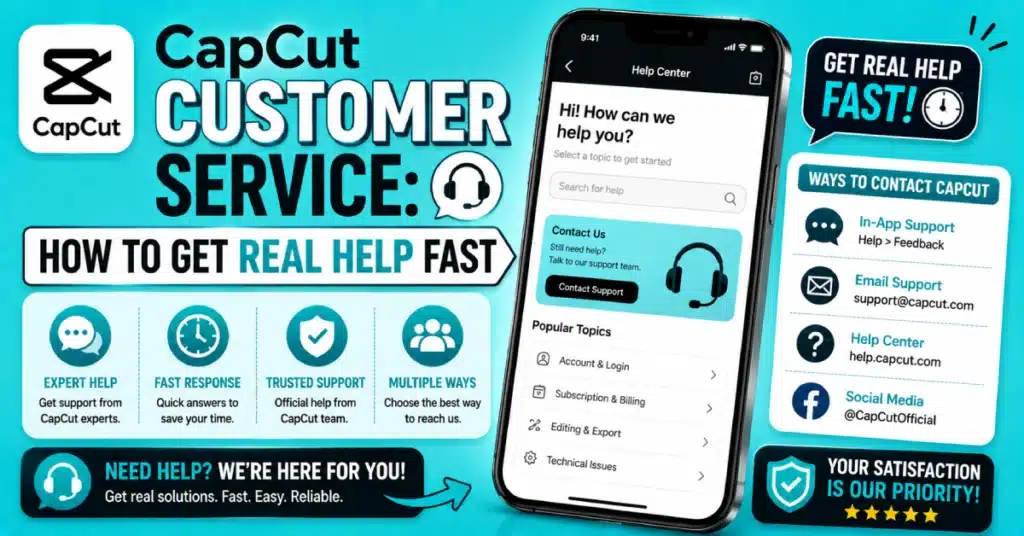
You can reach out to support through the app or email or the help website. Just pick the one. Some issues resolve faster through one channel than another.
Also worth knowing — the support experience is a little different depending on what device you are using. Android, iPhone, Mac, PC all have slightly different paths to the same help options. We will walk through each one.
The Truth About CapCut Customer Service Phone Number
Let us get this out of the way early. People search for a CapCut customer service phone number every single day. And every single day they find websites with made-up numbers.
CapCut does not have a public phone line. Not for regular users. Not for Pro subscribers. Not for anyone. That is just the reality of how this company handles support.
So any site showing a CapCut customer service phone number 24 7 hotline or a CapCut customer service phone number usa with a 1-800 something — do not trust it. Seriously. These are scam pages. Some will charge you money. Some will ask for your login details. Neither situation ends well.
Even on Reddit, if you find a CapCut customer service phone number reddit thread with someone sharing a number, be careful. Real Reddit discussions about CapCut support mostly just confirm that no direct line exists. A stranger posting a phone number in a comment is not CapCut. That is a stranger.
Stick to the channels inside the actual app. That is where real support lives.
CapCut Customer Support Email — The Right Way To Use It
Email is one of the most reliable options. The CapCut customer support email is accessible through the app itself and sometimes through the help centre online.
Finding CapCut support on mobile is simple. Open. Go to Profile. Tap the three dots. Scroll down to the Help Centre. Tap it. Contact Us will show an email. Open a form.
For CapCut on my computer I go to my account settings. Check the sidebar or the top menu for the Help option. The next steps are the same.
Now here is the part most people get wrong. They send a message like “my app is not working please help.” That is not enough. You need to give them real details.
To get help include your account email. Also tell us your device model and operating system. Describe the problem you had. When it happened. If you have screenshots attach them. More details help us reply faster. A clear report gets a reply.
Expect to wait one to three business days for a reply.
Is There CapCut Live Chat Support?
Short answer — not really. Not in the way most people imagine.
Users usually imagine a chat box where a human responds right away when they ask about CapCut live chat support. That kind of live chat does not exist on CapCut right now.
What some versions of the app do have is an AI assistant inside the support section. It can handle basic questions — why is my video not exporting, how do I remove the watermark, why was I charged. It is a bot, not a person. But it actually resolves a good number of simple issues pretty quickly.
For anything more complicated — billing disputes, account bans, data loss — the AI bot will not be enough. In those cases you need to submit a proper ticket through the form in the app. That is the closest thing to CapCut customer service live chat with an actual human behind it.
CapCut for Android and CapCut iOS Download both have the support section inside Settings. That is your best starting point for any issue on mobile.
CapCut Customer Service Refund — Getting Your Money Back
This is probably the most stressful situation. You got charged and you want your money back. The CapCut customer service refund process depends entirely on how and where you originally subscribed.
If you signed up through iPhone or iPad, Apple processed the payment. CapCut never actually held your money. So your refund request goes to Apple, not to CapCut. Go to reportaproblem.apple.com on any browser, sign in with your Apple ID, find the CapCut transaction, and submit a refund request. Apple is usually quick — one to two days in most cases.
If you started your CapCut subscription on Android Google Play processed the payment for CapCut. Open the Google Play Store app, tap your picture and go to Payments and Subscriptions. Find your CapCut subscription. Ask for a refund for CapCut. Refunds for CapCut usually take a day like one to three days.
If you signed up directly through the CapCut website on a PC or Mac, refund requests must go through support. Email your account email, transaction ID, and the reason for your refund request. Refunds generally take five to seven business days.
Here is a quick table to summarise this:
| Platform | Where To Claim Refund | How Long It Takes |
| iPhone or iPad | reportaproblem.apple.com | 1 to 2 days |
| Android phone | Google Play — Payments section | 1 to 3 days |
| PC or website subscription | CapCut support email | 5 to 7 days |
| Mac via App Store | reportaproblem.apple.com | 1 to 2 days |
Warning About CapCut Customer Service Phone Number USA
People in the US really want to call someone. I get it. Talking to a live person just feels faster and more reassuring than waiting for an email. But the CapCut customer service phone number USA live person situation does not exist the way people hope.
No official CapCut number exists for US users. Any site showing a CapCut customer service phone number usa free dial-in is not affiliated with CapCut. These pages make money by pretending to be official support. They charge consultation fees or ask you to share account information. Neither of those things is okay.
The only safe way to verify support contact details is to check inside the official app or visit CapCut.com directly. You can also check the CapCut Play Store listing where official developer contact links are sometimes listed.
CapCut Pro Download gives you access to the app with all features so you can reach support directly from within your account settings.
How To Submit a Ticket Inside the App?
The in-app ticket system is often faster than email. Here is the step by step for mobile.
You begin with opening CapCut. Then you tap the Profile icon, which’s at the corner at the bottom right of the screen. Then you tap the menu or the gear icon then you scroll down to Feedback and Support.
You will see a list of categories. Things like App Issues, Account Issues, Billing, and Feature Requests. Pick the one that fits. Then fill in the form. Describe the problem in clear language. Upload screenshots if relevant. Tap Submit.
After submitting, CapCut sends a confirmation to your account email. The reply comes to that same email address usually within one to two days. If nothing arrives after three days, check your spam folder first before assuming they ignored you.
For Download CapCut for Mac users, the Help menu in the top bar of the app has a feedback and report option that leads to the same support system.
When CapCut Support Goes Quiet?
You submitted your ticket. Three days passed. Nothing. What now?
First, do not panic and send ten follow-up messages. That actually slows things down sometimes. A polite follow-up after three days is usually the approach. When you write this follow-up, include your ticket number if you have your original ticket number available. Your message should be brief.
If you used email the first time, try the in-app ticket form this time. Different queues are sometimes handled by different people. You might get a faster response through a different channel.
Community help is also genuinely useful. The CapCut subreddit and various Facebook groups have thousands of active editors. A polite follow-up after three days is usually the approach. When you write this follow-up, include your ticket number if you have your original ticket number available. Your message should be brief.
The blog has troubleshooting resources that often help resolve common problems without any support request.
If an app bug is causing trouble on your phone you can try using CapCut Old Version to fix it. This is because the CapCut Old Version often works better on phones.
Other Ways To Reach CapCut Customer Care
No CapCut customer care number means you need to think about other channels. Here are a few that have worked for real users.
The official CapCut Help Centre website has a search tool. Type your problem. The help page has step-by-step solutions for common issues. Users often skip it and contact support then see the answer was there.
Social media is also worth a try. CapCut keeps its accounts on TikTok and Instagram verified. A clear and polite message might help you get support quicker for problems with your account. It is not a guaranteed channel but it is worth trying if everything else has a long wait.
CapCut APK gives you full access to the app including the in-app support features just like any standard download.
Tips That Actually Speed Up Your CapCut Customer Service Response
These are small things but they genuinely make a difference.
Always use your registered account email when you contact support. If you write from a different email, the team cannot find your account quickly. That adds at least a day to the process.
Be specific. Really specific. “The app crashes” tells them nothing. When I tell support that the app crashes every time I try exporting a 60-second 4K video on iPhone 14 Pro with iOS 17.2 they get information to investigate about the app crashes. Usually detailed reports about the app crashes get responses from support about the app crashes.
For payment disputes or billing concerns, your transaction ID should be included first. You will find it in the payment confirmation email from Apple, Google, or your bank. Without it, the billing team searches manually. With it, they find your case in seconds.
Tell them your app version. It is in Settings under About. Knowing the exact version helps them check if your problem is a known bug with a fix already ready.
If you recently upgraded and are now having account or billing confusion, mention that. New account upgrades sometimes cause temporary syncing issues. The support team can check this quickly if they know the context.
For users who want the full Pro experience without billing headaches, CapCut MOD APK removes most premium restrictions. CapCut Pro MOD APK gives complete access to all tools. And CapCut APK Download is the quickest way to get started on any device right now.
Conclusion
CapCut Customer Service is not broken — it just works differently from what most people expect. No phone line, no instant chat, but email and in-app tickets do work when you use them the right way. Refunds go through Apple or Google for most users. And those fake phone number websites? Stay far away from them.
If your app itself is causing problems, a quick update usually helps. Download CapCut Latest Version to get the most stable build with the latest bug fixes included. Or go bigger with Download CapCut Pro Latest Version and get access to all Pro features from day one.
Use the right support channel and you will get sorted. It just takes a little patience.
Frequently Asked Questions
Is there a real CapCut Customer Service phone number?
No. CapCut does not have a public customer service phone number for regular or Pro users. Any website showing a number is unofficial and likely a scam. Always contact CapCut support through the official app under Settings or through the CapCut help centre website to protect your account and personal details.
How do I find the CapCut customer support email?
Open the CapCut app. Go to your Profile, then Settings. Scroll to Feedback and Support or Help Centre. Tap Contact Us. This option does one of two things. It shows an email. Open a contact form. Please include your email, device and a detailed description of what’s wrong.
How many days does CapCut take to reply to support requests?
Most support replies through email or in-app forms arrive within one to three business days.. After a big update high ticket volume may delay replies. A polite follow-up after three days is reasonable. I check my spam folder.
How do I request a CapCut refund?
Your refund path depends on where you subscribed. iPhone and Mac App Store purchases go through reportaproblem.apple.com. Android Google Play purchases go through the Play Store under Payments and Subscriptions. If you paid through the CapCut website directly, email their support team with your transaction ID and refund request clearly stated.
Does CapCut have live chat with a real human?
CapCut does not offer a real-time live chat with a human agent. Some app versions include an AI chat assistant for common questions. For problems like billing issues, account access or data loss you should fill out a support form or send an email. Most of these get an answer within a few days that we work.
What if CapCut support never replies to me?
You have to give it three business days. After three business days are over you can send a message. This message should be brief and polite. It should also mention your email. Also try submitting through the in-app ticket form if you previously used email. Check Reddit and the CapCut Help Centre for community-found solutions. Many common issues are already documented with working fixes available.