CapCut Templates for Trending Videos in 2026
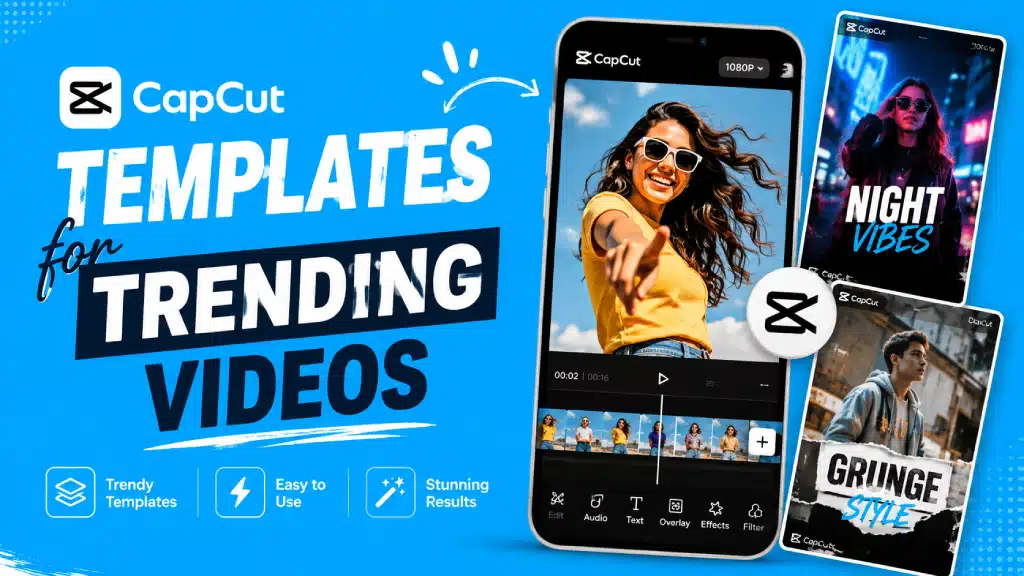
Not every good video starts from a blank timeline. With CapCut Templates, you can start from a ready-made design instead — drop in your own clips or photos, swap out the text, and land on something polished in a fraction of the time it’d take to build from scratch.
CapCut’s template library covers a lot of ground — social videos, photo edits, effect-heavy styles, celebration content, business use cases, and plenty more, with dedicated sections for whatever’s currently trending.
Making every effect yourself can eat up hours. Why do that if a template can give you a head start? If you’re trying to follow current video trends, templates are worth exploring. Here’s how to find, customize, and choose the right styles.
What Exactly Is a CapCut Template?
Think of it as a pre-built video project — the editing structure’s already there, so you’re not manually placing every transition, effect, text element, and timing cue from zero. You start with an existing design and build on top of it.
That’s what makes templates so practical. You can usually bring in your own photos or footage instead of keeping the sample clips. Some also let you change text, music, effects, or timing. Beginners get a simpler workflow, and experienced creators get their time back.
The current library spans categories like social content, holidays, anniversaries, effects, business, and a bunch of other creative use cases.
Why CapCut Templates Are Everywhere in 2026?
Short-form video runs on fast editing and visuals that grab attention immediately — a solid template gets you most of the way there without building the whole thing manually. Right now, CapCut 2026 collections lean heavily into slow motion edits, cinematic styles, photo edits, transitions, velocity-based videos, and whatever’s trending at the moment.
Convenience is really the other half of the appeal. A template hands you a structure in seconds — your job is just picking media that fits and making it feel like yours.
Worth being honest, though: using a popular template doesn’t guarantee anything goes viral. Your actual footage, the opening moment, music choice, text, pacing, and the underlying idea still carry most of the weight.
Actually Finding the Right Template
This is pretty painless once you know roughly what you’re going for. Open CapCut and head to the Templates section — exact layout shifts a bit by device, account, region, and app version, so don’t worry if yours doesn’t match a screenshot exactly.
You can browse by category or just search for something specific — a photo template, a slow motion edit, a birthday video, a travel edit, whatever TikTok style you’ve got in mind. CapCut also runs online template collections separately, with dedicated pages for trending and newer 2026 designs if you’d rather browse from there.
Don’t just grab whatever template has the highest usage count, either. Check how many clips it actually needs, the total length, the music style baked in, the transitions used, and what kind of footage it’s expecting from you.
Using a Template, Step by Step
Once you’ve found something you like, this genuinely doesn’t take long.
Pick your template. Browse the section, land on something that fits your content, and preview it before committing.
Check what it actually needs. Some templates want just one photo or clip. Others need several. Know the count before you start.
Drop in your own media. Pull clips or images from your device — try to match footage that suits the template’s timing and movement, since a mismatch tends to look off.
Preview the whole thing. Watch it start to finish before exporting. Look for awkward cuts, poorly cropped photos, or text that just doesn’t fit what you’ve put in.
Make it yours. If the template allows edits, adjust the text, swap clips, tweak the music or effects — whatever’s available to change.
Export it. Once everything looks right, export using settings that actually match wherever you’re planning to post it.
Styles Worth Trying Right Now
What stays popular forever? Not many templates. Trends shift fast, which is why watching what’s currently getting traction makes more sense than chasing one design.
Slow motion continues to hold its ground. It can make emotional moments feel stronger, while also fitting fashion, travel, sports, and cinematic footage. A good slow-motion template can turn plain footage into something genuinely dramatic — just make sure you’re feeding it clips with clear, deliberate movement, since random footage tends to fall flat when slowed down.
Photo-based templates are a natural fit for birthdays, memories, travel recaps, friendships, couples’ content, and general life updates — string several photos together with music, transitions, and text without building the timeline from scratch yourself.
Velocity edits lean on shifting speed to match music or emphasize key moments. Current collections have plenty of options here, making it a solid category if you’re after something fast and energetic.
Cinematic templates focus on color, movement, transitions, and deliberate pacing — great for travel content, cars, fashion, and general storytelling. Worth knowing: a template can’t rescue genuinely poor or badly framed source footage. Good raw material still matters here more than the template itself.
Transition-heavy templates are built to connect several short clips into something that feels like one continuous piece. Matching footage helps a lot — a movement-based transition, for instance, tends to look much cleaner when both clips share similar motion.
Trending templates are not tied to one platform. Trending templates are made for short‑form content and work well on TikTok, Reels and Shorts. Trending templates mix new‑trend formats, slow motion, photo edits and viral‑style designs.
Making a Template Actually Feel Like Yours
Templates are not meant to lock you into one look. Start with the design then make a few deliberate changes to the template. That is often enough to get a result.
Start with clip selection — if a template cycles through images fast, use photos that read clearly even in a short burst. Still using the default placeholder text? Change it. Add words that connect with your content, and the same widely used template can take on a much more personal feel.
Check the music too. Templates often ship with whatever’s trending at the moment, but availability and usage rights on that track can shift depending on your region and platform — worth confirming before you build around it.
And always give the finished video a full watch before exporting. Small tweaks to timing or clip choice genuinely add up more than people expect.
Templates for TikTok
TikTok is arguably where template-based editing pays off the most — short clips, quick transitions, captions, music, and effects all working together in a tight package.
Focus hard on the first few seconds specifically. Your opening shot needs to give someone an actual reason to keep watching rather than scroll past. Vertical framing is the obvious default here, and it’s worth double-checking that important text isn’t sitting behind where the platform’s own buttons and UI tend to land.
Templates for Instagram Reels
Reels work well with the same short, template-driven approach. Photo templates suit travel stories, fashion posts, birthdays, memories, and general lifestyle content nicely, while video-based templates tend to fit action clips, product content, and faster-paced edits better.
Before you export, check how the crop is actually handling your media — a template can position things differently than whatever the original example showed.
Templates for YouTube Shorts
Shorts benefit from the same quick, template-driven approach too. Lean toward templates with clear pacing, readable text, and simple transitions rather than something stuffed with effects in every second.
A cleaner edit is often genuinely easier to watch than one that leans on transitions constantly — restraint tends to age better here.
Are These Templates Actually Free?
A lot of them, yes — CapCut pro free template library covers plenty of ground. That said, availability shifts depending on the specific template, platform, account, region, and whatever features are currently live in your version of the app.
Some designs or assets might require access to particular features or resources beyond the base app. Worth checking exactly what a template needs before you build a whole project around it — the official library presents most of what’s there as free and customizable, but individual availability still varies.
When a Template Just Won’t Work?
Sometimes a template refuses to load or behave as expected. Usually it comes down to your app version, connection, account, region, missing media, or the template’s own availability at that moment.
Honestly, don’t jump straight to complicated fixes. Restart CapCut first. Check your internet connection, then confirm the app is updated. If the problem remains, test another template. Does that one work? If so, the original design may be the issue. Check its clip-count and clip-type requirements as well.
Is Chasing Trending Templates Worth It?
Generally, yes — just use them thoughtfully. A trending template saves real editing time and gives you a decent feel for what’s currently working stylistically. For beginners especially, it’s a genuinely useful way to learn how transitions, timing, music, and effects interact without building everything from first principles.
Where it falls apart is when every creator grabs the exact same design without adding anything of their own. Swap the clips, rewrite the text, reorder things, change up the underlying story — even a small adjustment keeps the final video from blending into everyone else’s version of the same template.
Bottom Line
CapCut Templates are a genuinely efficient way to land on a polished video without hand-building every element — especially useful for TikTok, Reels, Shorts, photo slideshows, travel content, and short-form video generally.
Right now, the library’s still leaning into slow motion, velocity edits, cinematic styles, photo edits, transitions, and whatever new social formats are picking up steam.
Here is the thing. A template should not be the video. A template is your starting point. Pick a template that suits your content, add your footage, change the text, check the pacing and shape the template until the template feels like your own work.
The newest designs can change quickly. That’s why checking CapCut’s official template library directly makes sense. You can see the latest additions before starting your next project.