DaVinci Resolve Vs CapCut: Which One Should You Actually Use?
Lots of people ask me about DaVinci Resolve and CapCut. Often it’s after they buy a phone or laptop for video creation. The answer isn’t straightforward. They’re made for different kinds of work. One feels like a mini film studio. The other feels like a fast, no-fuss app you open between classes or on a lunch break to knock out a reel.
So here’s the thing. A lot of “comparison” articles online just pick a side and cheerlead for it. That’s not very useful if you’re the one who has to actually sit down and edit something tonight. What you probably want is simple — which app fits your phone or laptop, your patience level, and the kind of videos you actually make. Let’s go through it properly, with real examples, not just spec sheets copied from a press release.
Before we get into it, quick heads up on what’s coming:
- A no-nonsense feature comparison
- A table you can scan in ten seconds
- Some honest opinions, including where I think each app falls short
- Answers to the questions people actually type into Google
What Is DaVinci Resolve?
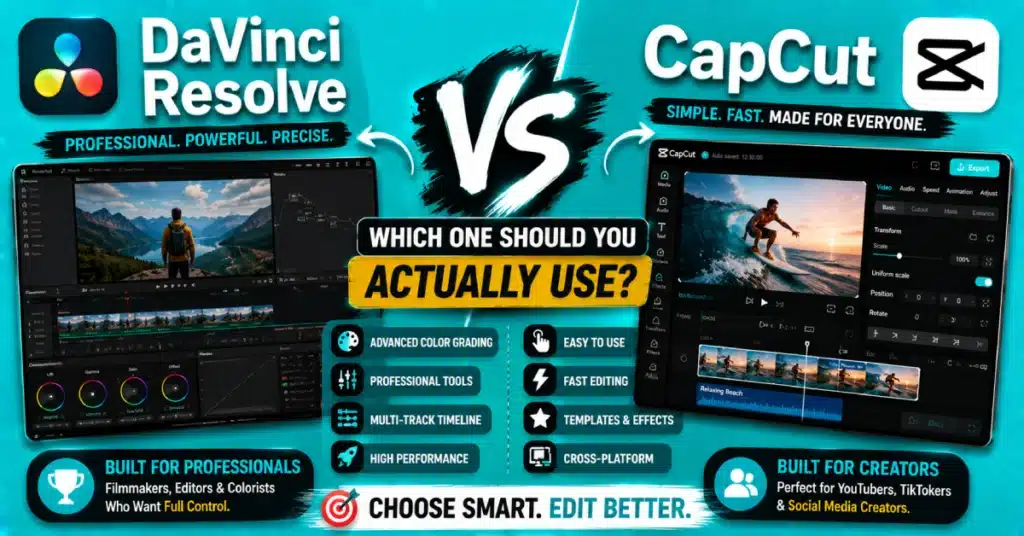
DaVinci Resolve comes from Blackmagic Design, and yeah, it’s the real deal — used in actual film studios, big YouTube production teams, and by a surprising number of solo creators chasing that cinematic look. It is more than a standard cutting tool. Color correction, visual effects, Fusion motion graphics, and complete audio mixing in Fairlight are all included in one platform.
What surprises most people is how much you get for free. 4K exports, unlimited tracks, colour tools that honestly compete with software costing several hundred dollars — none of it’s locked behind a paywall. The price of power is that your computer has to work harder and if you are a beginner the timeline may feel confusing at first like a plane cockpit.
What Is CapCut?
CapCut started life as a phone app from Bytedance and has since grown into a proper desktop editor as well. Speed is the whole pitch here. Trending templates, auto-generated captions, effects you apply with one tap, a timeline that doesn’t need a manual — this is an app built for people who don’t have three hours to spare. I’ve timed myself finishing a thirty-second clip in under ten minutes, start to export.
CapCut works well on my old phone. It does not slow down on phones that are a few years old. I can use CapCut on my Android, iOS, PC or Mac which’s really convenient.
DaVinci Resolve Vs CapCut: Core Feature Comparison
When you put DaVinci Resolve and CapCut side by side you can see the difference away. People who search for DaVinci Resolve vs CapCut want to know one thing: do they want DaVinci Resolve. Do they want CapCut for depth or do they want DaVinci Resolve or CapCut for speed. Usually you can not get DaVinci Resolve and CapCut for both depth and speed.
| Feature | DaVinci Resolve | CapCut |
| Colour Grading | Industry-level, node-based | Basic filters and presets |
| Learning Curve | Steep at first | Beginner-friendly from day one |
| Platform | PC, Mac, Linux | Android, iOS, PC, Mac |
| Best For | Films, YouTube, ads | Reels, Shorts, TikTok |
| Auto Captions | Manual setup | Built-in, one tap |
| System Requirement | Needs a decent GPU | Runs on almost anything |
| Price | Free, plus a paid Studio tier | Free, with optional premium extras |
This davinci resolve vs capcut comparison 2026 table sums it up well enough — your pick really comes down to what you’re filming and what device you’re stuck editing on.
Capcut Vs Davinci Resolve For Beginners
If you’re brand new to editing, capcut vs davinci resolve for beginners isn’t really a contest. CapCut removes almost every barrier. Drag a clip in, tap a template, hit export. That’s basically it.
Resolve expects a bit more from you — tracks, nodes, render settings, all things that sound scary until you’ve clicked around for a week. I’ve watched people close the app halfway through their first project because the colour page alone looked like a spaceship dashboard. That sounds right.. If you keep at it through the first tough week the control you get is really worth it.
So CapCut vs DaVinci Resolve, for beginners 2026 is easy to decide: do you want something ? CapCut. Willing to trade a weekend for skills that’ll matter later? Resolve.
Davinci Resolve Vs Capcut For YouTube
For longer videos, DaVinci Resolve vs CapCut for YouTube tilts toward Resolve pretty hard. Multi-camera setups, cleaner audio mixing, color that stays consistent scene to scene — this is exactly what Resolve was built to handle.
That’s not to say CapCut is useless for YouTube. Short content and casual vlogs fit well here, especially if speed matters more than perfect finishing. But when your channel gets bigger and sponsors ask for professional-looking footage, DaVinci Resolve starts making more sense.
Davinci Resolve Vs Capcut For Reels
Flip the situation for reels, though, and CapCut wins almost every time. DaVinci resolve vs CapCut for reels really comes down to speed — trending audio syncing, quick text pop-ups, transitions that don’t need three menus to set up. Resolve can technically do all of this. It’s just slower, and slower isn’t what you want when you’re posting daily.
If your whole content calendar depends on churning out reels, CapCut’s templates alone will save you hours every week compared to building the same thing manually.
Pricing: Davinci Resolve Free Vs CapCut
On cost, davinci resolve free vs capcut is closer than people expect. Resolve’s free version already covers most of what a solo creator needs. The Studio version, a one-time payment rather than a subscription, adds noise reduction and a handful of extra effects.
CapCut is free too, with an optional premium plan for extra templates and stock assets. Neither app makes you pay just to get in the door, which is honestly rare in this industry these days.
Davinci Resolve Vs Capcut Desktop Performance
Desktop performance depends almost entirely on your hardware. Resolve wants a proper GPU, especially once you’re working with 4K footage or stacking colour nodes — skip that and you’ll feel the lag during playback. Davinci resolve vs capcut desktop comparisons usually come down to exactly this point.
CapCut desktop, by contrast, barely notices an older machine. If you use CapCut on a laptop, with no special graphics card it will work better.
Davinci Resolve Vs Capcut Vs Premiere Pro
Throw a third app into the mix and davinci resolve vs capcut vs premiere pro gets interesting. Premiere sits in the middle — more capable than CapCut, not quite matching Resolve’s colour engine, and it locks you into a monthly subscription. Resolve wins on value, CapCut wins on speed, Premiere wins if you’re already deep in the Adobe ecosystem.
Comparing capcut vs davinci resolve vs adobe premiere pro purely on price, Premiere loses outright — neither of the other two demands a subscription for their core tools.
Davinci Resolve Vs Capcut Vs Shotcut Vs OpenShot 2026
People who edit videos and do not have a lot of money will often think about DaVinci Resolve, CapCut, Shotcut and OpenShot before they make a choice. Shotcut and OpenShot being free is a plus.. They do not have all the features that CapCut has like modern features and a polished feel. DaVinci Resolve is still the best for color tools. Most people move on to something fairly quickly.
What People On Reddit Actually Say?
Scroll through davinci resolve vs capcut reddit threads and a pattern shows up fast. Professionals lean toward Resolve for anything serious. Hobbyists and social creators keep recommending CapCut because it just gets out of their way. Almost nobody claims one app is flat-out better — it’s always framed around what you’re actually trying to make.
Getting Started With CapCut
Setup is genuinely simple. Android users can grab it from the official CapCut Play Store listing, and PC or Mac users can pull it straight from CapCut’s own site. Once it’s installed, spend ten minutes poking around the CapCut Pro templates before starting your first real project — it makes a noticeable difference in how polished your early edits look.
Worth exploring the CapCut Premium effects library too, before you dive in properly. Saves a fair bit of trial and error later on.
Which One Should You Choose?
There’s honestly no single answer to davinci resolve vs capcut which is better. It is all about what you’re making. Are you trying to get a YouTube channel to make movie- videos or do you want to make sure your colors and sounds are really good? Go with Resolve. Posting reels most days, editing from your phone, want something fast that doesn’t fight you? CapCut, easily.
A lot of creators end up using both anyway — CapCut for the daily quick posts, Resolve for anything that needs to look properly finished. That combo covers almost everything without juggling three or four different apps.
If mobile editing is the plan, the CapCut APK makes setup quick. Pair it with CapCut for Android or iOS, and editing takes only minutes to begin.
Conclusion
When you get down to it DaVinci Resolve vs CapCut is not about saying one is the best. It is about finding the tool that’s best for your computer, the way you edit and the videos you make. Try both if you can. See which one feels less like a fight, and build your workflow from there.
Do you want to edit your work in a way today? If so, you should download the app that you like. It will make your next project really good.
Frequently Asked Questions
Is CapCut good enough for professional YouTube videos?
CapCut is easy to use for medium YouTube videos. The templates and auto-captions are really helpful.. For longer videos with color-sensitive footage DaVinci Resolve is a better choice. It gives me advanced control.
Does DaVinci Resolve work on low-end laptops?
The video editor can work on a computer. If the computer is not very good it will struggle to play back 4K videos or do a lot of color grading. If you have a graphics card and a lot of memory like 8GB or more the video editor will be much easier to use.
Is CapCut completely free to use?
Yes, the core editing tools cost nothing. There’s an optional premium subscription for extra templates and stock assets, but most everyday editing tasks don’t require spending a single rupee or dollar.
Can beginners learn DaVinci Resolve quickly?
They can, though it takes longer than picking up CapCut, simply because Resolve’s interface is built for professionals. A few short tutorials on the colour, edit, and Fairlight pages usually speed things up within a week or two.
Which app is better for Instagram Reels?
CapCut, generally, thanks to its trending templates, fast auto-resize, and one-tap effects. DaVinci Resolve can make reels. Editing short videos takes more time than usual.
Do I need both CapCut and DaVinci Resolve?
Not strictly, but plenty of creators keep both around — CapCut for quick daily posts, Resolve for polished long-form work. Between the two, you’re covered for nearly any type of video without adding more software.
Explore more editing comparisons and tips on our Blog to keep improving your video editing skills.