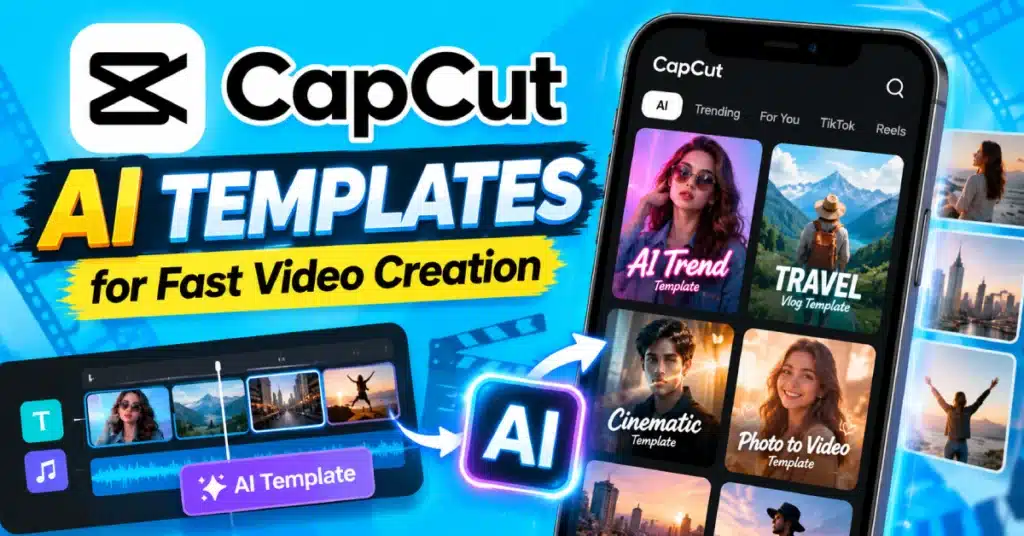
CapCut AI Templates for Fast Video Creation in 2026
Some video ideas are easy to edit. Others take much longer than expected. Having your photos and clips ready does not always make editing quick. You still need to choose transitions, match the music, add text and adjust the timing, which can take hours.
For projects like this, CapCut AI Templates give you a simple starting point. They come with a ready made structure and smart editing features that can reduce manual work. Choose a design you like, add your photos or clips, and change it to match your content.
What Are CapCut AI Templates?
CapCut AI Templates bring together ready made templates and AI powered tools. Different templates may offer different features, but they all follow the same basic idea.
You can pick a template. Replace the sample media with your own photos or clips. The preset design handles much of the timing and visual arrangement automatically.
Some CapCut templates include effects, transitions, text styles, music and other editing elements. After using the template you can customize the project before exporting your completed video.
The available templates are not fixed. CapCut can add, remove, or change them over time.
Why Use AI Templates?
The biggest reason is time. When you start with a timeline you have to make dozens of small choices. Which clip comes first? How long should it stay? Where should the transition happen?
A ready made template already answers many of those editing questions. It can be an option whenever I want to create a quick video for Instagram, TikTok, YouTube Shorts or another social media channel. A quick video feels effortless.
It also works well when you find an editing style you like. I do not know how to recreate it from scratch.
How to Use CapCut AI Templates?
The process is usually straightforward.
Find a Suitable Template
If starting with a timeline feels time-consuming, CapCut AI Templates give you a faster start. CapCut AI Templates give you a structure that you can customize with your own photos, videos, text and ideas. I find CapCut AI Templates helpful.
A fast template may work well for a travel montage. A slower one might suit family photos or a birthday video. Pay attention to how many clips or photos the template needs. This can save you from preparing the wrong amount of media.
Add Your Own Content
Select the template and add your photos or videos to the required slots. CapCut places your files into the existing design. Watch the preview carefully.
A template can look great with its sample footage but feel completely different with your own clips. That is normal. Your media has its own colors, lengths, and framing.
Make It Your Own
This is the part worth spending a few extra minutes on. Change the text if the original wording does not fit. Replace weak clips. Trim anything that feels unnecessary. If the template allows it, adjust music or other elements too.
I think you do not need to rebuild everything from the beginning. A few simple changes to the template can give the template a more original and personal feel.
AI Templates for Short Videos
Short videos are where templates can be particularly convenient. A Reel or Short often needs to get to the point quickly. There is little room for long introductions or slow transitions. A good template can help keep the pacing tight.
For vertical content, check that your important subject stays visible in the 9:16 frame. A person’s face, product, or main object should not end up hidden behind text or cropped at the edge.
What Kind of Content Works Well?
There is no single type of video that needs AI templates.
They can work nicely for:
- Travel memories
- Birthday videos
- Product showcases
- Fashion clips
- Food content
- Before and after videos
- Photo slideshows
- Quick promotional posts
If the content needs detailed storytelling or lots of talking, a template may be less useful. In that situation, manual editing gives you more control over pacing.
CapCut AI Templates vs Regular Templates
| CapCut AI Templates | Regular Templates |
| May include AI assisted tools | Mainly use preset editing |
| Can speed up certain tasks | Focus on ready made designs |
| Features vary by version | Features depend on template |
| Useful for quick creation | Useful for simple editing |
| Still needs human review | Still needs customization |
The difference is not always obvious from the name. CapCut’s available tools can change, so check the actual template and features shown in your app.
Do You Need CapCut Pro?
Not always.
Some templates and editing resources may be available for free, while others can require premium access. CapCut Pro may provide additional effects, assets, or features depending on your current plan. If you use the free CapCut app, you can still create many types of template based videos.
You may also see websites advertising a CapCut Pro APK with premium features unlocked. Be careful with unofficial APK files. They can be modified by unknown parties and may create security or privacy risks.
Tips for Better Results
A template cannot fix every problem with your footage. Use clear photos and videos whenever possible. Avoid adding ten different effects simply because they are available. If the template already has strong transitions, extra effects can make the video feel messy.
Also watch the final version before posting. Look for awkward cuts, spelling mistakes, faces that are cropped, and music that is too loud. Those small checks often matter more than another fancy effect.
Final Thoughts
CapCut AI Templates can help you make videos faster without starting from a timeline. They come with a structure that saves time. You still get to add your photos, clips, text and creative ideas.
The important thing is to make a template fit the content. Choose a template, change the parts that do not work and keep the final edit simple.
That way, you get the speed of a template without losing your own style.
FAQs
What are CapCut AI Templates?
They are ready made video designs that may combine preset editing with AI powered tools to help create videos more quickly.
Are CapCut AI Templates free?
Some are free, while certain templates or features may require premium access. Availability can change with CapCut updates.
Can I add my own videos to an AI template?
Yes. Templates generally allow you to replace sample media with your own photos or video clips.
Are AI templates good for Instagram Reels?
They can work well for Reels, especially when the template has a vertical layout and timing that matches your content.
Can I edit a CapCut AI Template?
Yes. Depending on the template, you can change media, text, audio, timing, and other available editing elements.
Do I need CapCut Pro to use AI Templates?
No. You can use some templates without Pro, but certain premium templates and features may require a paid plan.