How to Cancel CapCut Pro Subscription on Any Device — Step by Step 2026
How to cancel CapCut Pro subscription — honestly, this question comes up more than you’d think. I see many people getting charged every month. They just can’t find the cancel button. The steps to cancel are different on each device. That is what confuses users.
Maybe you signed up during a free trial and forgot. Maybe you just don’t edit videos as much anymore. Or maybe the price went up and it doesn’t feel worth it right now. Whatever your reason is — totally valid. You should be able to stop the charges without going in circles.
CapCut APK Download gives you some really solid features like premium templates, auto-captions, and effects that aren’t available on the free plan. But if you’re not using those things regularly, there’s no point paying for them every month.
So here’s what you need to know before we get into the steps:
- The cancellation process depends on where you first subscribed — Apple, Google Play, or directly on CapCut’s website
- Canceling doesn’t cut off your access right away. You keep Pro until the billing period runs out
- Your videos and projects stay safe in your account even after you cancel
Alright, let’s just get straight into it.
Why So Many People Look Up How to Cancel CapCut Pro Subscription?
It sounds simple, right? But here’s the thing — a lot of users don’t realize that CapCut itself doesn’t always manage the billing. If you signed up through your iPhone, Apple handles it. Android users go through Google Play. Website sign-ups use a different portal for account and subscription management.
Someone may launch the CapCut app, look for cancellation settings in the CapCut app, find nothing in the CapCut app and then give up on using the CapCut app. Then the charge hits again next month. That’s the frustrating part.
Also, many people sign up just to try to cancel CapCut pro free trial — meaning they want to test the features and cancel before it becomes a paid plan. The trial is no issue for you. You only need to watch the timing of the trial period. Be sure to cancel the trial before the trial period ends to avoid charges for the trial.
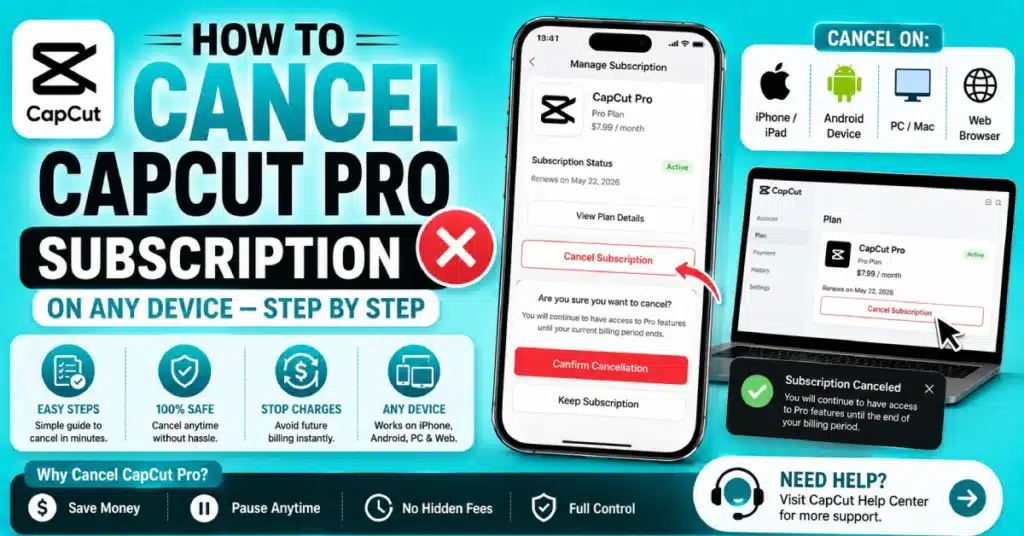
How to Cancel CapCut Pro Subscription on iPhone?
iPhone users — your subscription is managed by Apple, not CapCut. So don’t look inside the app. Go to your phone settings instead.
Here’s what to do:
- Open Settings on your iPhone
- Tap your name at the very top
- Tap Subscriptions
- Scroll and find CapCut in the list
- Tap it, then tap Cancel Subscription
- Confirm when it asks you
That’s it. This is basically the full process for how to cancel CapCut subscription iphone. It took me less than a minute to complete canceling my Pro features. After I cancel my Pro features my Pro features remain active until the end of my billing cycle. Apple keeps my access until then.
One thing — if you don’t see CapCut in the list, it might mean you subscribed through a different platform. Check your email for the original payment receipt. That’ll tell you exactly where the charge came from.
How to Cancel CapCut Pro Subscription on Android?
For Android, Google Play handles everything. Same idea — don’t look inside the app.
Steps for how to cancel CapCut pro subscription on android:
- Open the Google Play Store
- Tap your profile icon (top right corner)
- Go to Payments and Subscriptions
- Tap Subscriptions
- Find CapCut Pro in the list
- Tap Cancel Subscription and confirm
Pretty easy once you know where to go. The how to cancel CapCut subscription android process is one of the cleaner ones, honestly. Google Play shows all your active subscriptions in one place.
Now if CapCut doesn’t appear in your Play Store subscriptions, it means you probably subscribed on the CapCut website directly. In that case, skip ahead to the website cancellation section below.
How to Cancel CapCut Pro Subscription on PC or Desktop?
A good number of people use CapCut on their computers. So questions like how to cancel CapCut pro subscription on pc and how to cancel CapCut pro subscription desktop come up a lot. The answer depends a little on how you first signed up.
If you subscribed through the CapCut website, here’s what you do:
- Go to CapCut.com in any browser
- Log in to your account
- Click on your profile or avatar icon
- Look for Account Settings or Membership
- Find your active plan
- Hit Cancel or Manage Plan
- Follow the steps and confirm
This covers how to cancel CapCut pro monthly subscription for web subscribers. It’s clean and straightforward.
For subscriptions made through Google Play visit the Google Play website in a browser to manage your Google Play subscriptions. If you used Apple ID go to the Apple ID site instead to manage your Apple ID subscription.
People using CapCut for PC usually subscribed through the desktop version or the website — so the web account method is the one you want. Also covers how to cancel CapCut pro on pc for Windows users.
How to Cancel CapCut Pro Subscription on Mac or MacBook?
For Mac users, the process for how to cancel CapCut pro subscription on mac or how to cancel CapCut pro subscription on macbook again depends on how you signed up.
Through Apple on your Mac:
- Open System Settings
- Click your Apple ID at the top
- Go to Media and Purchases, then click Manage
- Find CapCut, click Edit
- Select Cancel Subscription
Through the CapCut website on Mac — just log in at CapCut.com and cancel from Account Settings, same as the PC steps above.
This handles how to cancel CapCut pro subscription on laptop too for MacBook users. Quick and painless once you know the path.
How to Cancel CapCut Pro Subscription on iPad?
The process for how to cancel CapCut pro subscription on the iPad is nearly the same as the iPhone. Your Apple ID handles all of this through Apple. Here is what to do next:
- Open Settings on your iPad
- Tap your name at the top
- Tap Subscriptions
- Find and tap CapCut Pro
- Tap Cancel Subscription
- Confirm it
Done. Access stays on until the end of the paid period.
How to Cancel CapCut Pro Subscription on Phone If You’re Not Sure How You Subscribed?
Sometimes people ask about how to cancel CapCut pro subscription on phone without knowing which method they used. Totally understandable — especially if you signed up a while back.
Here’s an easy trick. Check your email inbox using keywords such as “CapCut receipt” or “CapCut payment.” The email should tell you if the charge was from Apple, Once you know that, just follow the right section in this guide.
This is honestly the fastest way to figure out how to cancel a CapCut pro subscription without wasting time in the wrong place.
How to Cancel CapCut Standard Subscription?
Not everyone is on the Pro plan. Some users want to cancel CapCut standard subscription, which is a lighter paid tier.
Good news — the process is exactly the same. You need to go to where you manage your subscriptions. This could be Apple ID, Google Play or the CapCut website. Look for the Standard plan, not Pro. Cancel it the same way. Same steps, different plan name.
Device and Platform Quick Reference Table
| Device | Where You Subscribed | Where to Cancel |
| iPhone | Apple App Store | Settings > Apple ID > Subscriptions |
| iPad | Apple App Store | Settings > Apple ID > Subscriptions |
| Mac or MacBook | Apple App Store | System Settings > Apple ID > Manage |
| Android Phone | Google Play Store | Play Store > Profile > Payments > Subscriptions |
| Windows PC | CapCut Website | CapCut.com > Account Settings |
| Mac or MacBook | CapCut Website | CapCut.com > Account Settings |
| Any Device | CapCut Website (direct) | CapCut.com > Account Settings |
What Actually Happens After You Cancel?
People always wonder what comes next. Here’s a clear picture:
- No more charges after the current billing period ends
- Pro features keep working until that end date
- All your saved videos and projects stay in your account
- After the period, you go back to the free version automatically
You won’t lose any of your work. The files are still there. You just won’t be able to use Pro-only tools after expiry. But honestly, most basic editing still works fine on the free plan.
For more guides like this one, check out the Visit Blog — there’s a lot of helpful content there for CapCut users.
When You Can’t Find the Cancel Option?
Well, this is annoying when it happens. But there are usually a few common reasons:
- You’re looking in the wrong place — maybe you subscribed on a different platform
- The subscription already expired or was canceled before
- There’s a glitch or delay in the app or store
First thing to do — check your email. Find the payment receipt and see where it came from. That clears up most of the confusion.
If you set up your account through CapCut app download for android and can’t find it in Play Store subscriptions, try searching “CapCut” in the subscriptions list manually. Sometimes it takes a second to load.
For CapCut iOS Download users who don’t see it under Apple subscriptions — double check you’re logged into the right Apple ID. Some people have two accounts and the subscription is on the other one.
Tips So You Don’t Get Charged After a Free Trial
You know, the free trial trap catches a lot of people. You sign up to test things, forget about it, and then one morning there’s a charge on your card. It happens more than you’d expect.
A few things that actually help:
- Right when you sign up for the trial, set a calendar reminder for two days before it ends
- Check your subscriptions list the same day you sign up — confirm it shows there
- Some people use a separate virtual card just for free trials, so there’s nothing to charge if they forget
This is super important if you’re specifically wondering about how to cancel CapCut pro free trial before the charge hits. The window can be as short as three days depending on the plan.
How to Cancel Pro Subscription on CapCut Through the Website?
Some people skip the app store entirely and subscribe straight on CapCut’s website. This is common for desktop users. Here’s how to cancel pro subscription on CapCut if that’s your situation:
- Open CapCut.com in your browser and sign in
- Click your profile icon or avatar in the top right
- Look for Membership or Account Settings
- Find your active subscription
- Hit Cancel Plan or Cancel Subscription
- Follow the prompts on screen
This is the method for how to cancel my CapCut pro subscription on pc if you’re on Windows. Usually done in two minutes or less.
If you downloaded the app from Download CapCut for Mac and subscribed within the app, the same web account login should work to manage it.
Should You Pause Instead of Canceling?
Some people don’t really want to quit — they just want a break. Understandable. But unfortunately, CapCut Pro doesn’t have a pause or freeze option. At least not as of now. You’re either in or out.
If you think you’ll come back in a couple months, you can cancel now and just resubscribe later. Your account and projects won’t go anywhere. Restarting is easy.
And if you want to explore different versions of the app in the meantime, CapCut APK Download Old Version is worth checking out. Some older builds work differently, and some users actually prefer them.
This question often comes up when people are thinking about whether to cancel subscription CapCut pro or just let it ride. My honest suggestion — if you haven’t opened the app in two weeks, just cancel it.
Can You Get Money Back After Canceling?
This one depends on where you subscribed. Each platform has its own rules.
You can ask Apple for a refund if you are not happy with your purchase. You do that at Apple Refund Requests. It’s not guaranteed, but Apple does approve them sometimes, especially if the charge was recent.
Google Play: There’s usually a short window — around 48 hours after a charge — where you can request a refund through your order history.
CapCut directly: Contact their support team. Their refund policy isn’t always consistent, but it’s worth asking, especially if there was a mistake.
You can check the latest subscription and billing details straight from CapCut or on the CapCut Play Store page to stay up to date.
Managing Multiple Subscriptions — A Small Tip
Having many active subscriptions across different apps makes forgetting one very easy. I’d suggest checking your Apple or Google subscriptions list every month or so. Just takes a minute and you’ll catch anything you forgot about.
CapCut Pro mod apk Download is always there if you decide to come back later and want to get the app again.
Full Summary — How to Cancel My CapCut Pro Subscription
Here’s a quick recap so you don’t have to scroll back up. How to cancel my CapCut pro subscription based on your platform:
- iPhone or iPad: Settings > tap your name > Subscriptions > CapCut > Cancel
- Android: Play Store > profile icon > Payments and Subscriptions > CapCut > Cancel
- Mac through Apple: System Settings > Apple ID > Manage > CapCut > Cancel
- PC or Web: CapCut.com > sign in > Account Settings > Cancel Plan
That also handles how to cancel CapCut pro subscription pc and laptop users on any operating system. Find your platform, follow the steps, confirm. Done.
Conclusion
How to cancel CapCut Pro subscription really comes down to one thing — knowing where you originally subscribed. Once you figure that out, the actual steps are quick and simple. iPhone and iPad users go through Apple settings. Android users use Google Play. Website subscribers handle it through their CapCut account online.
We covered every platform in this guide, so there’s no reason to stay stuck on this. If you’re done with the subscription for now, go ahead and cancel it today. Stop the charges before the next billing date hits.
If you want to edit videos you should download the latest CapCut Pro version. Then you can start working from where you left off. Your account and projects will still be waiting.
Frequently Asked Questions
How do I confirm my CapCut Pro subscription is actually canceled?
Most platforms send a confirmation email soon after you cancel. You can also return to your subscription settings and check the status. If you see “Expires on” rather than “Renews on,” the cancellation is confirmed and no future charges will happen.
Will I lose access to CapCut Pro features right after I cancel?
No, that is not how it works. Canceling only stops the upcoming renewal charge. Your Pro access remains until the billing period you paid for is complete, then the account changes back to the free plan automatically.
The cancel button is not showing up — what should I do?
Usually this means you’re checking the wrong platform. Search your email for the original CapCut payment receipt. That shows exactly where the subscription was created — Apple, Google, or CapCut’s own website. Then go cancel from that specific place and you’ll find it right away.
Is a refund possible after canceling the subscription?
Refund rules depend on the platform. For Apple purchases go to[Apple Refund Requests. For Google Play you have around 2 days. For CapCut website subscriptions contact their support.
Do my saved videos disappear when I cancel CapCut Pro?
They do not disappear. All your projects stay saved in your account after canceling. The only thing that changes is you lose access to Pro tools once the billing period ends. Your files and timelines are still sitting there — you just can’t use premium effects or features to edit them anymore.
How do I cancel CapCut Pro if I signed up through the CapCut website directly?
Open the CapCut website. Sign in. Click your profile icon. Go to Account Settings or Membership. Locate your CapCut plan and use the Cancel or Manage Plan option. Confirm your choice to cancel your CapCut subscription. You will finish in about two minutes.